
|
Do it yourself
| |||
| ||||


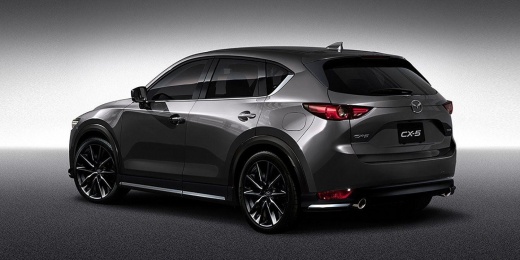
How to reset the "Service" light on a Mazda CX-5?
Model: Mazda CX-5
MK 2
- Years 2017-2024
To reset the "Service" light on a Mazda CX-5, turn on the dashboard by pressing the "Start" button without starting the engine. Access the onboard computer using the central screen and the rotary dial located on the central tunnel. Rotate and press the dial to navigate to the settings menu. Scroll to the maintenance or service reminder section. Select the reset option to reset the maintenance interval and confirm the procedure. After completing the operation, turn off and on the dashboard to ensure that the light has been properly reset.
Posted on 5 July 2025 by ScegliAuto
Video tutorial
Related tutorials
Mazda CX-5
(2017-2024 /
MK 2)
When asked how to reset the Service light of a Mazda CX 5, and especially if we can do it ourselves without the need for equipment to connect to the …

Mazda CX-5
(2017-2024 /
MK 2)
Resetting the warning light by cutting on a 2021 Mazda CX 5 vehicle is a simple and quick operation that can be done independently. To begin the rese…

Mazda CX-5
(2012-2017 /
MK 1, KE)
On board the Mazda CX-5, it will be possible to reset the Service light by inserting the ignition key into the corresponding slot and turning on the …
Other guides you may be interested in
|
How to Open the Fuel Cap of the Volkswagen Jetta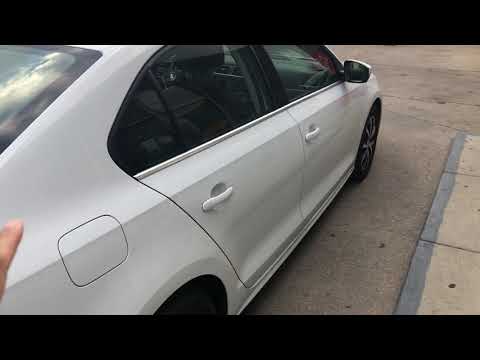
When you need to refuel this vehicle, first open the fuel filler flap. Follow these simple instructions, and you can also watch the video for more details. First, unlock the central locking to open the flaps. Then, press the fuel cap with your hand to unlock it and open it. Underneath, you will find the fuel cap, which you need to unscrew counterclockwise. At this point, you can proceed to refuel. by ScegliAuto More videos
|
|
For advertising on this site Write to info@scegliauto.com
ScegliAuto is not responsible for any inaccuracy of the data in the lists. To report any inaccuracy or your business (if you own the business in question), please write to info@scegliauto.com
Number of seconds to generate the page: 0.089
(c) ScegliAuto 2026 - info@scegliauto.com - Privacy policy VAT number: IT01247470535 |
