
|
Do it yourself
| |||
| ||||


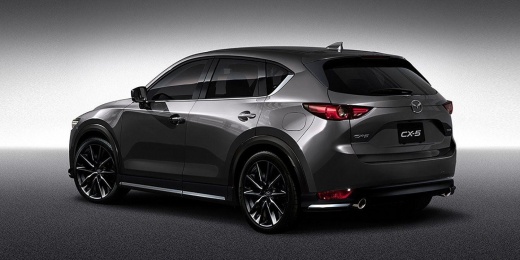
How to change the battery of the key remote for a Mazda CX-5.
Model: Mazda CX-5
MK 2
- Years 2017-2024
Replacing the battery in the remote key for a Mazda CX-5 vehicle requires a few simple steps. Make sure you have a small flathead screwdriver and a CR2025 button battery on hand. Take the remote out of the car and slide the lever located on the back of the casing; this will unlock the metal key inside, allowing you to pull it out by tugging on the upper end of the shell. At this point, insert the tip of the screwdriver into the side edge and pry it open to access the battery compartment. You can then remove and replace the battery.
Posted on 8 December 2025 by ScegliAuto
Video tutorial
Related tutorials
Mazda CX-5
(2012-2017 /
MK 1, KE)
Today's information will allow us to disassemble the key for replacing the battery of the Mazda CX-5 remote control. First, we take our remote contro…

Mazda CX-5
(2017-2024 /
MK 2)
Following these brief and simple steps, we will see how to disassemble and replace the battery of the key remote for the Mazda CX-5. First, take the …

Mazda CX-5
(2017-2024 /
MK 2)
Today we will see how to disassemble and replace the battery of the remote key of the Mazda CX-5. First of all, we take our remote control and start …
Other guides you may be interested in
|
How to reset the tyre pressure warning light on the Suzuki Jimny?
To reset the tyre pressure warning light on the Suzuki Jimny, first inflate the tyres to the pressure value indicated on the corresponding sticker: this is located at the bottom of the driver's door pillar. Once the tyres are inflated, insert the ignition key and turn on the instrument panel: select the screen that indicates the tyre pressures, checking that the values change. After a few seconds, the tyre pressure warning light will automatically turn off. by ScegliAuto More videos
|
|
For advertising on this site Write to info@scegliauto.com
ScegliAuto is not responsible for any inaccuracy of the data in the lists. To report any inaccuracy or your business (if you own the business in question), please write to info@scegliauto.com
Number of seconds to generate the page: 0.275
(c) ScegliAuto 2026 - info@scegliauto.com - Privacy policy VAT number: IT01247470535 |
