
|
Do it yourself
| |||
| ||||


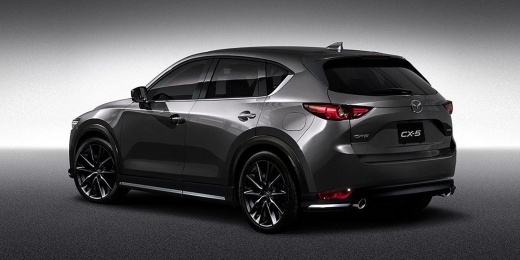
How to change the battery in the remote control of the Mazda CX-5.
Model: Mazda CX-5
MK 2
- Years:
2017, 2018, 2019, 2020, 2021, 2022, 2023, 2024
Video tutorial
On the Mazda CX-5, the remote control battery is replaced starting from the integrated mechanical key. Locate the small latch on the remote and unlock the emergency key, then pull it out completely. Using the mechanical key (or a thin plastic tool), pry at the opening point of the remote's casing, gently separating the two halves without forcing the clips. Once open, access the battery compartment and remove the dead battery. Insert a new CR2025 battery, ensuring the correct polarity (the same orientation as the one just removed) and make sure it is seated properly in the compartment. Close the remote by aligning the edges until the clips snap into place and reinsert the mechanical key into its housing. Finally, immediately check that the remote on the Mazda CX-5 locks and unlocks correctly and that the keyless start is recognized. If it does not work after replacement, first check that the battery is a CR2025, that it is inserted the right way, and that the contacts are not bent or dirty.
Posted on 30 December 2025 by ScegliAuto
Related tutorials
Mazda CX-5
(2012-2017 /
MK 1, KE)
In today's article, you will see how to change the battery of the key fob for the Mazda CX-5. For this operation, you will need a small flathead scre…

Mazda CX-5
(2017-2024 /
MK 2)
Replacing the battery in the remote key for a Mazda CX-5 vehicle requires a few simple steps. Make sure you have a small flathead screwdriver and a C…

Mazda CX-5
(2017-2024 /
MK 2)
Follow these simple steps to disassemble and replace the battery in the key fob for the Mazda CX-5. First, take your key fob and remove the physical …
Other guides you may be interested in
|
How to reset the tyre pressure warning light on the Kia Niro EV?
To reset the tyre pressure warning light on the Kia Niro EV, inflate the tyres until they reach the correct pressure value. This value is indicated on the sticker attached to the driver's door pillar. Once the tyres are inflated, turn on the instrument cluster to check that the warning light has completely disappeared from the display. If it is still present, you may need to drive for a few miles to ensure it disappears completely from the screen. by ScegliAuto More videos
|
|
For advertising on this site Write to info@scegliauto.com
ScegliAuto is not responsible for any inaccuracy of the data in the lists. To report any inaccuracy or your business (if you own the business in question), please write to info@scegliauto.com
Number of seconds to generate the page: 0.142
(c) ScegliAuto 2026 - info@scegliauto.com - Privacy policy VAT number: IT01247470535 |
