
|
Do it yourself
| |||
| ||||


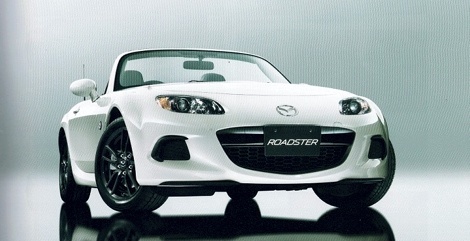
Installation of iPod, iPhone, iPad, MP3 and AUX Devices
Model: Mazda Mx 5
NC, MK 3
- Years:
2005, 2006, 2007, 2008, 2009, 2010, 2011, 2012, 2013, 2014, 2015
Video tutorial
The following guide shows the installation of devices such as iPhone, iPod, iPad, and MP3 to your car radio. One solution for this operation is to install an AUX auxiliary port. This AUX port can be connected via cables that allow linking the AUX port of the devices to be installed with the AUX port of the car radio. By doing this, you can transmit music directly from one device to another. Although this solution consumes a lot of battery, with the help of a specific adapter, you can also use the device while charging it.
Updated on 10 February 2026 by ScegliAuto
Related tutorials
Mazda Mx 5
(1989-1997 /
MK 1)
Using the appropriate tools that fit into the slots above and below the car radio to release the retaining springs, remove the complete console and d…

Mazda Mx 5
(1989-1997 /
MK 1)
Lift the vehicle on suitable car stands or a lift to facilitate the installation process. The spoiler kit includes the securing screws: you will need…

Mazda Mx 5
(1989-1997 /
MK 1)
If the rear lights of your Mazda MX-5 suddenly stop working and the bulbs are in good condition, check the status of the respective fuse, which is in…
Other guides you may be interested in |
How to reset the tyre pressure warning light on the Dacia Sandero?
The tyre pressure warning light that appears on the instrument cluster of the Dacia Sandero can be reset by inflating the tyres until they reach the correct pressure value: this value is indicated on the sticker attached to the driver’s door pillar. Once the inflation is complete, navigate through the menu that appears on the instrument cluster to find the option related to the tyres: select this with the OK button, which should then be held down for a few seconds to completely turn off the light. by ScegliAuto More videos
|
|
For advertising on this site Write to info@scegliauto.com
ScegliAuto is not responsible for any inaccuracy of the data in the lists. To report any inaccuracy or your business (if you own the business in question), please write to info@scegliauto.com
Number of seconds to generate the page: 0.066
(c) ScegliAuto 2026 - info@scegliauto.com - Privacy policy VAT number: IT01247470535 |
