
|
Do it yourself
| |||
| ||||


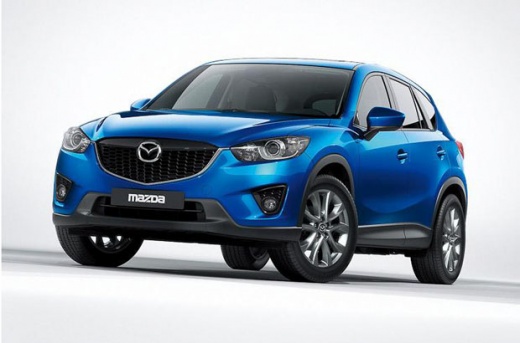
How to Replace the Front Brake Pads on a Mazda CX-5
Model: Mazda CX-5
MK 1, KE
- Years:
2012, 2013, 2014, 2015, 2016, 2017
Video tutorial
This guide shows how to replace the front brake pads on a Mazda CX-5 Mk1. The first step is to loosen the wheel bolts on the side you are working on; once the vehicle is lifted and secured, completely remove the wheel to expose the front brake assembly. Using a 14 mm spanner, undo the two bolts securing the brake caliper and remove it. Extract the worn pads and lubricate the new pads with the appropriate lubricant. Install the new pads in position and lubricate the caliper pistons. Push the caliper piston fully in to allow it to fit over the pads. Reassemble everything and check the brake fluid level.
Updated on 8 June 2026 by ScegliAuto
Related tutorials
Mazda CX-5
(2012-2017 /
MK 1, KE)
In today's article, you will learn how to replace the brake pads on the Mazda CX-5. For this operation, a 12mm socket is required. First, lift the ca…

Mazda CX-5
(2012-2017 /
MK 1, KE)
Today, in this video tutorial, learn how to remove and replace the rear brake pads of the Mazda CX-5 in simple and quick steps. First, lift the vehic…

Mazda CX-5
(2012-2017 /
MK 1, KE)
Replacing the brake pads on a Mazda CX-5 requires some basic mechanical skills and the appropriate tools. Here is a general guide for replacing the b…
Other guides you may be interested in
|
How to reset the tyre pressure warning light on the Kia Niro EV?
To reset the tyre pressure warning light on the Kia Niro EV, inflate the tyres until they reach the correct pressure value. This value is indicated on the sticker attached to the driver's door pillar. Once the tyres are inflated, turn on the instrument cluster to check that the warning light has completely disappeared from the display. If it is still present, you may need to drive for a few miles to ensure it disappears completely from the screen. by ScegliAuto More videos
|
|
For advertising on this site Write to info@scegliauto.com
ScegliAuto is not responsible for any inaccuracy of the data in the lists. To report any inaccuracy or your business (if you own the business in question), please write to info@scegliauto.com
Number of seconds to generate the page: 0.032
(c) ScegliAuto 2026 - info@scegliauto.com - Privacy policy VAT number: IT01247470535 |
