
|
Do it yourself
| |||
| ||||


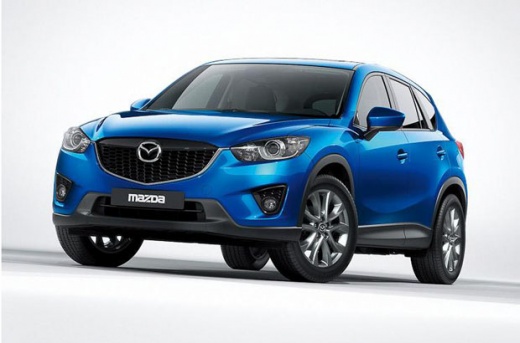
How to programme the door locks on a Mazda CX5
Model: Mazda CX-5
MK 1, KE
- Years:
2012, 2013, 2014, 2015, 2016, 2017
Video tutorial
In this video, we will see how to programme the door locks on a Mazda CX5. The question posed to the YouTuber was: can I set the locks to automatically lock when I walk away from the vehicle? One of the best features of these smart keys is that when you have the keys in your bag or pocket, you can activate all the functionalities of the vehicle that you have programmed from inside the car. Go to settings, then select: vehicle, where you will find a submenu with three options: locks, lighting, and wipers. Select: locks, and here you can access all possible functions: the one we are looking for is the folding lock, and we activate it. Confirm the activation, and that’s all you need to do.
Updated on 24 September 2026 by ScegliAuto
Related tutorials
Mazda CX-5
(2017-2024 /
MK 2)
In this guide, we will see the instructions that will allow you to program the automatic closing and opening of the external rear-view mirrors on a M…
Mazda CX-5
(2012-2017 /
MK 1, KE)
If you own a first-generation 2014 Mazda CX-5 and are wondering how to replace the cabin air filter, read this guide and follow the steps described. …

Mazda CX-5
(2017-2024 /
MK 2)
In this guide, learn how to check and store the tyre pressure on your Mazda CX5. First, check the correct pressure on the label located on the driver…
Other guides you may be interested in
|
How to Open the Fuel Filler Flap in the Hyundai i30?
In this tutorial, you will learn how to open the fuel filler flap in the Hyundai i30, a very simple operation that follows the typical procedure of most vehicles. First, unlock the locks using the designated button on the remote, then open the driver's door, locate the release lever on the left side of the seat, and operate it. Next, move to the fuel filler flap, open it completely, unscrew the cap, and refuel as needed. To close the flap, simply press it gently. by ScegliAuto More videos
|
|
For advertising on this site Write to info@scegliauto.com
ScegliAuto is not responsible for any inaccuracy of the data in the lists. To report any inaccuracy or your business (if you own the business in question), please write to info@scegliauto.com
Number of seconds to generate the page: 0.073
(c) ScegliAuto 2026 - info@scegliauto.com - Privacy policy VAT number: IT01247470535 |
