
|
Do it yourself
| |||
| ||||


How to update the radio system of a Mercedes C-Class W204
Model: Mercedes Classe C
W204
- Years 2007-2013
In this video we see the update of the radio system of a Mercedes Class C W204. There are several types of 2DIN devices that can be suitable for installation in this car, but if we want to keep the multifunction steering wheel, parking sensors and above all we want a plug & play replacement system, we recommend the Pioneer SPH-DA250DAB model WITH 6.8" 2din SCREEN with AppleCarPlay/AndroidAuto. Complete with DAB Antenna we can find it on Amazon with the code B0C8RNRMKR at the price of 469.44 euros, free delivery for Prime customers. For installation, the Connects2 CTSCT002 adapter bracket is also necessary, which we can always find on Amazon with the code B00441D7DI at the price of 57.36 euros; and the adapter for the steering wheel controls. We can find the connector for the steering wheel controls on Ebay with the code 164381796477 at the price of 92.46 euros + 13.19 euros free delivery. As for the carbon decoration, we can find it on Amazon with the code B07XQDRCC7 at the price of 15.81 pounds + 5.02 pounds for delivery.
Posted on 1 September 2025 by ScegliAuto
Video tutorial
Related tutorials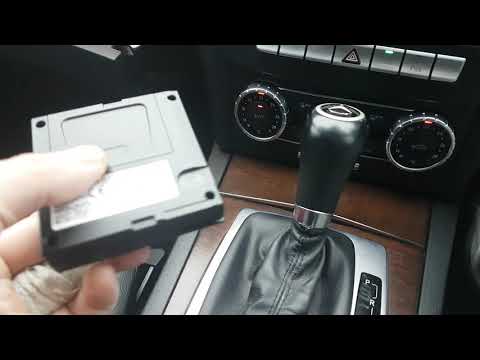
Mercedes Classe C
(2007-2013 /
W204)
To update the navigation software on the Mercedes C-Class, open the glove compartment on the passenger side and remove the navigation control module …

Mercedes Classe C
(2007-2013 /
W204)
.. box containing all the fuses of your Mercedes C-Class W204. First of all, you need to raise the front hood of the car in order to have access to the.. …

Mercedes Classe C
(2007-2013 /
W204)
.. of the central console of a Mercedes C-Class w204, similar in practice to the Mercedes C-Class w205. Usually, work of this type aims at repairing.. …
Other guides you may be interested in
|
How to Activate Bluetooth on the BMW 1 Series?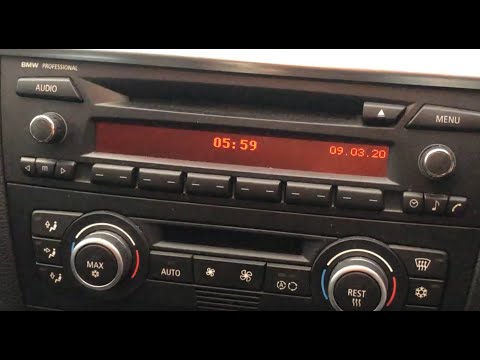
To activate Bluetooth on the BMW 1 Series, turn on the ignition so you can press the MENU button on the central control panel. This will allow you to select the "TEL" option to make the device visible. Then, connect to the radio using your mobile phone, selecting the device called "BMW" followed by a five-digit code. This code must be entered using the radio controls, confirming with OK. After entering and confirming, you will notice that the pairing between the devices has occurred. by ScegliAuto More videos
|
|
For advertising on this site Write to info@scegliauto.com
ScegliAuto is not responsible for any inaccuracy of the data in the lists. To report any inaccuracy or your business (if you own the business in question), please write to info@scegliauto.com
Number of seconds to generate the page: 0.191
(c) ScegliAuto 2026 - info@scegliauto.com - Privacy policy VAT number: IT01247470535 |
