
|
Do it yourself
| |||
| ||||


How to reset the service light on a Mercedes Class B W246
Model: Mercedes Classe B
W246, MK 2
- Years 2011-2019
Let’s see how to reset the service light on a Mercedes Class B W246: turn on the instrument cluster to illuminate all the lights and display the total mileage. Press two buttons on the steering wheel simultaneously; the one used to accept calls and the "ok" button. If the prompt "reset odometer?" appears, respond with "NO". A service menu will appear: scroll until you select "assyst plus". Press "ok" and then select "general maintenance" and press "ok"; at this point, a confirmation will appear, select "yes" and then press "ok". The reset is complete; to exit the menu, press the back arrow button.
Posted on 18 April 2026 by ScegliAuto
Video tutorial
Related tutorials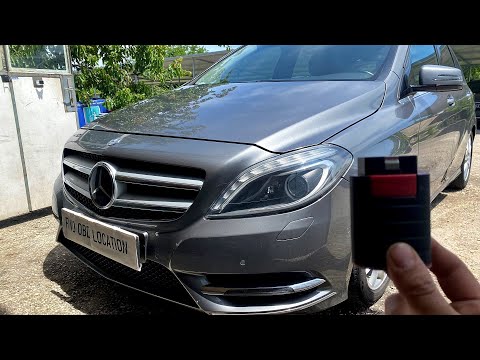
Mercedes Classe B
(2011-2019 /
W246, MK 2)
The OBD port on your Mercedes Class B W246 (2012 model) is hidden inside the cabin. This guide will explain how to locate it in a few simple steps. F…

Mercedes Classe B
(2011-2019 /
W246, MK 2)
In the Mercedes-Benz B-Class W246, produced between 2011 and 2019, the sticker indicating the recommended tyre pressure is not located, as most drive…

Mercedes Classe B
(2011-2019 /
W246, MK 2)
In this guide, you will find out how to locate the OBD port inside the cabin of your Mercedes-Benz B-Class W246. First, open the driver's door and ge…
Other guides you may be interested in
|
How to reset the tyre pressure warning light on the Dacia Sandero?
To reset the tyre pressure warning light on the Dacia Sandero, inflate all the tyres to the pressure indicated on the label on the driver's door. Once the tyres are inflated, turn on the ignition and navigate through the menu using the controls on the right side of the steering wheel. Scroll with the arrows to find the tyre pressure option: by holding down the OK button located on the right side of the steering wheel, you can reset the warning light. by ScegliAuto More videos
|
|
For advertising on this site Write to info@scegliauto.com
ScegliAuto is not responsible for any inaccuracy of the data in the lists. To report any inaccuracy or your business (if you own the business in question), please write to info@scegliauto.com
Number of seconds to generate the page: 0.071
(c) ScegliAuto 2026 - info@scegliauto.com - Privacy policy VAT number: IT01247470535 |
