
|
Do it yourself
| |||
| ||||


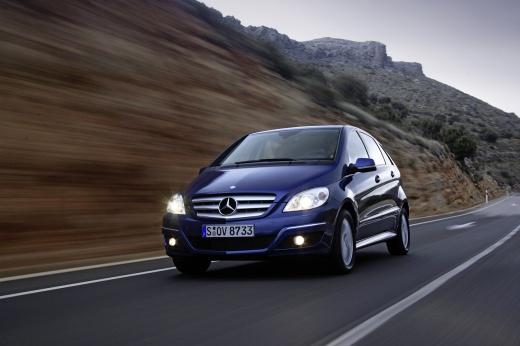
Removing the Heating Radiator of the Mercedes B-Class
Model: Mercedes Classe B
W245, MK 1
- Years:
2005, 2006, 2007, 2008, 2009, 2010, 2011
Video tutorial
This guide outlines the steps to remove and replace the heating radiator or heat exchanger of the Mercedes B-Class. First, get inside the vehicle and start removing the dashboard; begin by removing the airbag and steering wheel, then take off all parts of the central instrument panel, as shown in the video. Next, remove the glove compartment and completely detach the dashboard; disconnect the pipes from the radiator and replace it with the new one, following the video tutorial to the end!
Updated on 12 May 2026 by ScegliAuto
Related tutorials
Mercedes Classe B
(2011-2019 /
MK 2, W246)
.. and replace the thermostat of the Mercedes B-Class 200. First, raise the vehicle and begin draining the engine coolant by disconnecting the radiator.. …

Mercedes Classe B
(2005-2011 /
W245, MK 1)
.. and replacing the rear bumper of the Mercedes B-Class. First, lift the vehicle and start unscrewing and removing all screws and clips located above and.. …

Mercedes Classe B
(2005-2011 /
W245, MK 1)
.. the steering wheel controls of a Mercedes-Benz B-Class is a very simple operation. Start by disconnecting the battery terminals, first the negative and.. …
ScegliAuto offers an extensive international collection of automotive tutorials available in 12 languages. Each guide combines instructional videos with original explanations written by experienced human editors, along with information about the car models covered.
Other guides you may be interested in
|
How to Set the Time and Date on the Toyota Yaris
In just a few simple steps, you will learn how to set the date and time on the Toyota Yaris by following the instructions below. First, get inside the vehicle and turn on the instrument panel; then go to the vehicle settings from the central display and select the clock option, as shown in the video. From here, you can set the time by adjusting the hours and minutes; if necessary, set the date and both formats, including automatic time via GPS, and finally exit the settings menu to save the changes made. by ScegliAuto More videos
|
|
For advertising on this site Write to info@scegliauto.com
ScegliAuto is not responsible for any inaccuracy of the data in the lists. To report any inaccuracy or your business (if you own the business in question), please write to info@scegliauto.com
Number of seconds to generate the page: 0.040
(c) ScegliAuto 2026 - info@scegliauto.com - Privacy policy - About us VAT number: IT01247470535 |
