
|
Do it yourself
| |||
| ||||



How to Refill the Coolant in a Mercedes
Model: Mercedes Classe C
W205
- Years:
2014, 2015, 2016, 2017, 2018, 2019, 2020, 2021
Video tutorial
In this video tutorial, you can see how to refill the coolant in a Mercedes. If work has been done on the engine cooling system, first evacuate the air from the main coolant circuit using an appropriate device. Then position the radiator coolant reservoir at the same height as the expansion tank. Remove the cap from the cooling system; and screw the control cap onto the reservoir, as shown in the video. Attach the control unit to the control cap. Next, connect the hose to the reservoir. Install the Venturi nozzle on the control unit; then place the discharge hose into an empty container. Close the inlet drain valve. Open the discharge valve, then open the inlet valve until the valve is filled with coolant. Close the inlet valve. If the gauge on the control unit is in the green area, you can close the discharge valve. Connect the vacuum pump clamps to a 12 Volt source. Close the shut-off valves on the device. Once all hoses are connected, you need to evacuate the coolant for at least 5 minutes. This phase is complete when the indicator shows zero PSI.
Updated on 14 June 2026 by ScegliAuto
Related tutorials
Mercedes Classe C
(2007-2013 /
W204)
In this brief guide, you will find instructions to replace the engine coolant in the Mercedes C-Class. First, lift the vehicle and start unscrewing t…

Mercedes Classe C
(2007-2013 /
W204)
Let's review the instructions to top off the coolant or antifreeze in the Mercedes-Benz C-Class. First, open the front hood and pull the lever locate…

Mercedes Classe C
(2000-2007 /
W203)
In this short and simple guide, we will see how to drain and refill the coolant in the Mercedes C-Class. First, lift the vehicle and start removing t…
ScegliAuto offers an extensive international collection of automotive tutorials available in 12 languages. Each guide combines instructional videos with original explanations written by experienced human editors, along with information about the car models covered.
Other guides you may be interested in
|
How to Reset the Tyre Pressure Warning Light in the Suzuki Swift?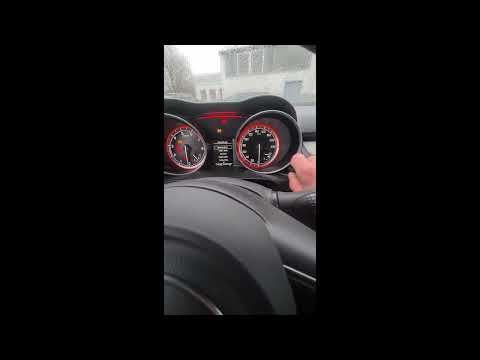
To reset the tyre pressure warning light in the Suzuki Swift, turn on the ignition, then navigate through the menu using the button located on the right side: this button should be rotated to locate the options displayed. You will need to select the option indicating tyre pressure and then select the "Reset" option: this way, the sensors will read the new tyre pressure values. If the tyres have been inflated to the correct pressure, the light will turn off automatically. by ScegliAuto More videos
|
|
For advertising on this site Write to info@scegliauto.com
ScegliAuto is not responsible for any inaccuracy of the data in the lists. To report any inaccuracy or your business (if you own the business in question), please write to info@scegliauto.com
Number of seconds to generate the page: 0.028
(c) ScegliAuto 2026 - info@scegliauto.com - Privacy policy - About us VAT number: IT01247470535 |
