
|
Do it yourself
| |||
| ||||


Dashboard Warning Lights Activation
Model: Mercedes Classe E
W210
- Years:
1995, 1996, 1997, 1998, 1999, 2000, 2001, 2002
Video tutorial
When driving a car, it's important to understand all the warning lights that may appear on the dashboard, indicating potential issues or actions needed for the proper functioning of your vehicle. Among the most important lights are: the red one, resembling a thermometer with red waves underneath, indicating engine overheating; the red light that looks like a genie lamp, signaling low oil; the one resembling a yellow submarine, indicating a problem with the engine; and the red battery light, which could lead to a car that won't start. When the warning lights in your car illuminate, it's good practice to seek a mechanic's assistance as soon as possible.
Updated on 14 February 2026 by ScegliAuto
Related tutorials
Mercedes Classe E
(2002-2009 /
W211)
Today we will explain how to easily and quickly remove the ignition switch of the Mercedes E-Class, model W 211, produced from 2002 to 2009. To carry…

Mercedes Classe E
(2009-2016 /
W212)
In this guide, discover how to remove and replace the ignition switch or cylinder in the Mercedes E-Class. First, open the hood and disconnect the ba…
Mercedes Classe E
(2002-2009 /
W211)
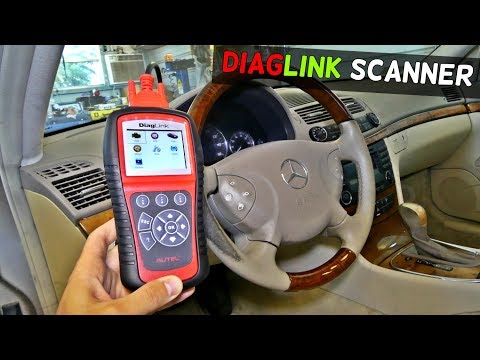
If any warning lights illuminate on the instrument cluster display, it means that the corresponding control unit has stored one or more faults. To un…
Other guides you may be interested in
|
How to reset the tyre pressure warning light on the Kia Niro EV?
To reset the tyre pressure warning light on the Kia Niro EV, inflate the tyres until they reach the correct pressure value. This value is indicated on the sticker attached to the driver's door pillar. Once the tyres are inflated, turn on the instrument cluster to check that the warning light has completely disappeared from the display. If it is still present, you may need to drive for a few miles to ensure it disappears completely from the screen. by ScegliAuto More videos
|
|
For advertising on this site Write to info@scegliauto.com
ScegliAuto is not responsible for any inaccuracy of the data in the lists. To report any inaccuracy or your business (if you own the business in question), please write to info@scegliauto.com
Number of seconds to generate the page: 0.134
(c) ScegliAuto 2026 - info@scegliauto.com - Privacy policy VAT number: IT01247470535 |
