
|
Do it yourself
| |||
| ||||


Service reset on a Mini Countryman
Model: Mini Mini
Countryman2, F60
- Years 2017-2023
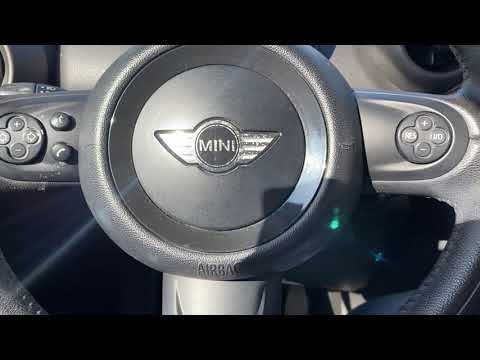
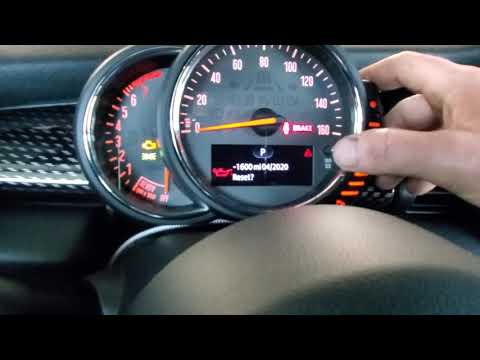
Through this very useful video guide, you will be able to see the entire procedure necessary to reset the service light on a Mini Countryman, second generation model produced from 2017 to 2023 with an analog speedometer. Let's start by turning on the car's ignition in the first position, then press the "BC" button on the left lever until only the vehicle's mileage is displayed on the information display. At this point, press and hold the speedometer button to enter the reset menu. Then select the option with the engine oil icon and continue to hold down the speedometer button. When prompted to reset, release the button and press it again to confirm the operation and reset it.
Posted on 13 October 2024 by ScegliAuto
Video tutorial
Related tutorials
Mini
(2017-2023 /
Countryman2, F60)
To reset the "Service" light on a Mini Countryman, start by turning on the instrument panel without starting the engine. Press the button located bel…
Mini
(2010-2016 /
R60, Countryman1)
The procedure for resetting the Service light on the Mini Countryman is done by turning on the instrument panel using the appropriate button located …
Mini
(2017-2023 /
Countryman2, F60)
To reset the service of the 2017 Mini Countryman you must first turn on the instrument panel (without starting the engine); keep the button on the od…
Other guides you may be interested in
|
Frequently Asked QuestionsHow to Remove the Original Radio from a Renault Trafic
How to remove the original radio from a Renault Trafic? Follow this video closely to perform the removal: use the original or aftermarket metal keys to detach the stereo, insert the keys into the holes on the plastic cover of the stereo, pull the stereo towards you as shown in the video, and extract the radio while being careful of the various wiring (disconnect the power connectors and the antenna cable). Finally, reinstall the original radio or a generic brand with the appropriate adapter for the input and connector. by ScegliAuto More videos
|

|
For advertising on this site Write to info@scegliauto.com
ScegliAuto is not responsible for any inaccuracy of the data in the lists. To report any inaccuracy or your business (if you own the business in question), please write to info@scegliauto.com
Number of seconds to generate the page: 0.091
(c) ScegliAuto 2026 - info@scegliauto.com - Privacy policy VAT number: IT01247470535 |
