
|
Do it yourself
| |||
| ||||


How to install a wireless charger on a Mini F series.
Model: Mini Mini
F55, F54, F57, F56
- Years 2014-2023
In this video, we see how to install a wireless charger on a Mini F series: we start by removing the body around the cigarette lighter, using a plastic spatula. We remove the USB connector located underneath and follow the cable to the 12V port; once located, we press on the front of the connector to release the power supply, which we will remove from the opening; then we remove the existing input port. We attach the wireless charging dock using the appropriate male/female connectors, then attach the small power cable; we remove the alignment clips of the existing port, so that we can insert those for the new device. We connect the data cable to the input port, and position the wireless pad in place: we do a test with the engine running to verify that the device is working. When we install the panel, we must ensure that all cables are correctly installed. The effect is a perfect integration with the car's console. You can find this device on scpautomotive.co.uk by typing Mini-f-series-centre-console-wireless-charger. The price is not cheap, it costs 187.95 euros, plus delivery costs, which are calculated at checkout, but considering the result, it may be worth it.
Posted on 1 January 2024 by ScegliAuto
Video tutorial
Related tutorials
Mini
(2010-2016 /
R60, Countryman1)
In this video we can see how easy it is to install the original Mini air freshener on our Mini Countryman R60. This is an accessory that we can find …

Mini
(2017-2023 /
Countryman2, F60)
If your car is to remain inactive for an extended period of time (as was the case during the lockdown), to keep your Mini's battery efficient, it is …
Mini
(2017-2023 /
Countryman2, F60)
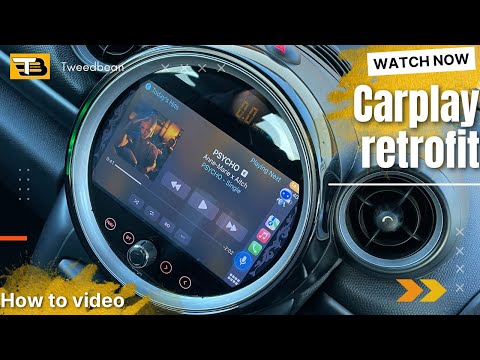
In this tutorial, we can see how to install a display in the Mini Cooper, which will completely replace the large central instrument panel. Let's sta…
Other guides you may be interested in
|
Frequently Asked QuestionsHow to Remove the Original Radio from a Renault Trafic
How to remove the original radio from a Renault Trafic? Follow this video closely to perform the removal: use the original or aftermarket metal keys to detach the stereo, insert the keys into the holes on the plastic cover of the stereo, pull the stereo towards you as shown in the video, and extract the radio while being careful of the various wiring (disconnect the power connectors and the antenna cable). Finally, reinstall the original radio or a generic brand with the appropriate adapter for the input and connector. by ScegliAuto More videos
|

|
For advertising on this site Write to info@scegliauto.com
ScegliAuto is not responsible for any inaccuracy of the data in the lists. To report any inaccuracy or your business (if you own the business in question), please write to info@scegliauto.com
Number of seconds to generate the page: 0.063
(c) ScegliAuto 2026 - info@scegliauto.com - Privacy policy VAT number: IT01247470535 |
