
|
Do it yourself
| |||
| ||||


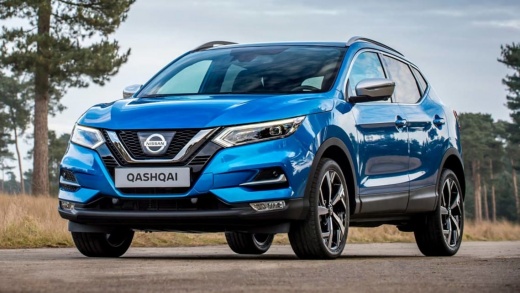
How to Change the Engine Oil and Filter in a Nissan Qashqai
Model: Nissan Qashqai
J11
- Years:
2014, 2015, 2016, 2017, 2018, 2019, 2020, 2021, 2022
Video tutorial
To replace the engine oil and filter in a Nissan Qashqai, you need to bring the engine to operating temperature, then turn it off and safely lift the vehicle. After removing the filler cap, place a container under the oil sump and unscrew the drain plug, allowing the used oil to completely drain out. Next, remove the old oil filter and install the new one, pre-lubricating the gasket with a small amount of clean oil. Then, reattach the drain plug, preferably with a new gasket, and fill the engine with oil of the specified type and quantity for your engine. Finally, start the engine for a few seconds, check for any leaks, and after waiting a few minutes, check the oil level and top up if necessary.
Posted on 22 July 2026 by ScegliAuto
Related tutorials
Nissan Qashqai
(2014-2022 /
J11)
To change the engine oil and filter in a Nissan Qashqai, warm up the engine for a few minutes, then turn it off and lift the vehicle. Place a contain…

Nissan Qashqai
(2021-2026 /
J12)
In this guide for your Nissan Qashqai J12 (2021-2023), discover how to quickly and safely replace the oil filter. Before you start, ensure the car is…

Nissan Qashqai
(2014-2022 /
J11)
Today, follow these instructions to help you replace the engine oil and oil filter while performing the routine maintenance service on the Nissan Qas…
Other guides you may be interested in
|
Frequently Asked QuestionsHow to reset the tyre pressure warning light on the Kia Niro EV?
To reset the tyre pressure warning light on the Kia Niro EV, inflate the tyres until they reach the correct pressure value. This value is indicated on the sticker attached to the driver's door pillar. Once the tyres are inflated, turn on the instrument cluster to check that the warning light has completely disappeared from the display. If it is still present, you may need to drive for a few miles to ensure it disappears completely from the screen. by ScegliAuto More videos
|
|
For advertising on this site Write to info@scegliauto.com
ScegliAuto is not responsible for any inaccuracy of the data in the lists. To report any inaccuracy or your business (if you own the business in question), please write to info@scegliauto.com
Number of seconds to generate the page: 0.057
(c) ScegliAuto 2026 - info@scegliauto.com - Privacy policy VAT number: IT01247470535 |
