
|
Do it yourself
| |||
| ||||


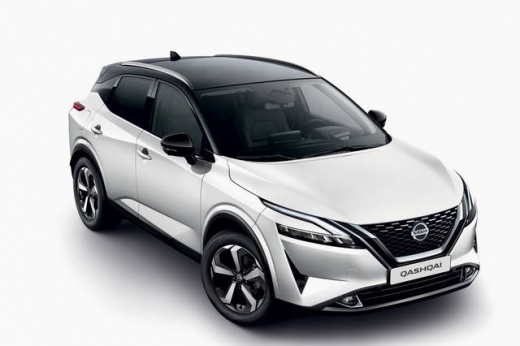
How to Change the Measurement Units in a Nissan Qashqai
Model: Nissan Qashqai
J12
- Years:
2021, 2022, 2023, 2024, 2025, 2026
Video tutorial
To change the measurement units in a Nissan Qashqai, turn on the instrument cluster and use the controls on the steering wheel to access the display settings. Use the directional buttons to scroll through the various screens until you reach Settings, usually identifiable by the gear symbol, then confirm the selection. Enter the Units section and choose the parameter you wish to modify. Depending on the version, you can change the unit used for consumption, distance, and temperature, for example, switching from km and l/100 km to miles and MPG, or from °C to °F. Select the desired setting and confirm it with the OK button on the steering wheel. Once the configuration is complete, exit the menu: the new values will be saved and used in the relevant screens of the instrument cluster.
Posted on 31 August 2026 by ScegliAuto
Related tutorials
Nissan Qashqai
(2014-2022 /
J11)
In this video, we see how to change the unit settings on the Nissan Qashqai J11: if our onboard computer indicates fuel consumption in liters per 100…

Nissan Qashqai
(2021-2026 /
J12)
Did you know that in the Nissan Qashqai E-Power you can change the unit of measurement for the tyre pressure displayed in your car? Yes, if you want …

Nissan Qashqai
(2014-2022 /
J11)
In today's video, you will see how to replace the front bulbs on the Nissan Qashqai with new LED units. First, purchase the new units from major onli…
Other guides you may be interested in
|
Frequently Asked QuestionsHow to reset the tyre pressure warning light on the Kia Niro EV?
To reset the tyre pressure warning light on the Kia Niro EV, inflate the tyres until they reach the correct pressure value. This value is indicated on the sticker attached to the driver's door pillar. Once the tyres are inflated, turn on the instrument cluster to check that the warning light has completely disappeared from the display. If it is still present, you may need to drive for a few miles to ensure it disappears completely from the screen. by ScegliAuto More videos
|
|
For advertising on this site Write to info@scegliauto.com
ScegliAuto is not responsible for any inaccuracy of the data in the lists. To report any inaccuracy or your business (if you own the business in question), please write to info@scegliauto.com
Number of seconds to generate the page: 0.035
(c) ScegliAuto 2026 - info@scegliauto.com - Privacy policy VAT number: IT01247470535 |
