
|
Do it yourself
| |||
| ||||


How to replace the car radio in the Nissan Murano?
Model: Nissan Murano
Z51, MK 2
- Years 2008-2014
As seen in this tutorial, replacing the car radio in the Nissan Murano is an extremely simple and quick operation. Before proceeding, ensure the key is inserted for safety. Start by prising off the panel located beneath the centre console, then unscrew the two screws just revealed with a cross-head screwdriver. Next, remove the two side pillars, unscrew the additional screws indicated, and extract the entire module from its housing. Once every connector is disconnected, you can fit the replacement by following the reverse procedure.
Updated on 22 June 2026 by ScegliAuto
Video tutorial
Related tutorials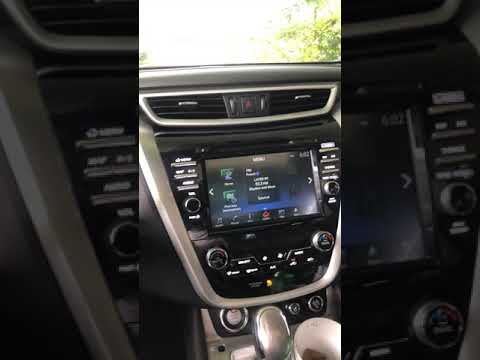
Nissan Murano
(2014-2024 /
Z52, MK 3)
To reset the radio on the Nissan Murano, turn on the ignition so that the central display also lights up: once it is on, rotate the volume knob clock…

Nissan Murano
(2008-2014 /
Z51, MK 2)
If you don't know where the OBD2 port is located in your second-generation Nissan Murano, don't worry because the following guide provides a descript…

Nissan Murano
(2014-2024 /
Z52, MK 3)
In the following guide aimed at all of you who own a latest generation Nissan Murano, we will explain how you can safely replace the engine air filte…
Other guides you may be interested in
|
How to Reset the Tyre Pressure Light on the Opel Grandland X
While driving, if you notice the tyre pressure warning light coming on, first check the actual inflation pressure of the tyres and, if necessary, restore the pressures recommended by the manufacturer. After restoring the correct pressures, you need to reset the warning light that has illuminated on the instrument cluster. To do this, locate the reset button on the lower central console. Press this button and hold it down for at least 3 seconds, after which the low pressure indication will turn off. by ScegliAuto More videos
|
|
For advertising on this site Write to info@scegliauto.com
ScegliAuto is not responsible for any inaccuracy of the data in the lists. To report any inaccuracy or your business (if you own the business in question), please write to info@scegliauto.com
Number of seconds to generate the page: 0.115
(c) ScegliAuto 2026 - info@scegliauto.com - Privacy policy VAT number: IT01247470535 |
