
|
Do it yourself
| |||
| ||||


Vauxhall Meriva - Car stereoCar Stereo Vauxhall Meriva (2010-2017 / mk 2, meriva b) Vauxhall Meriva (2003-2010 / Merivaa, MK 1)
How do you replace the Opel Meriva car radio? In order to replace the radio of the Opel Meriva, you need to insert the special hook keys into the four holes located at the corners of the device: once the …Read all… Posted on 9 March 2025 by ScegliAuto  Vauxhall Meriva (2003-2010 / Merivaa, MK 1)
How to remove the radio from an Opel Meriva A In this video we can see how to remove the radio from an Opel Meriva "A" with CD30 radio model, as indicated by the code on the device itself. To remove it, we …Read all… Posted on 19 December 2024 by ScegliAuto 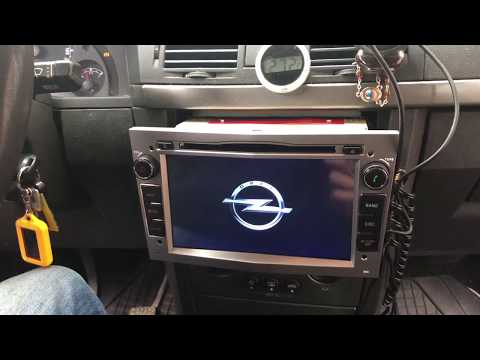 Vauxhall Meriva (2010-2017 / MK 2, Merivab)
How to Replace the Radio in an Opel Meriva? To replace the radio in an Opel Meriva, use the special hook keys provided with the car, inserting them into the four holes located at the corners of the …Read all… Posted on 22 August 2026 by ScegliAuto 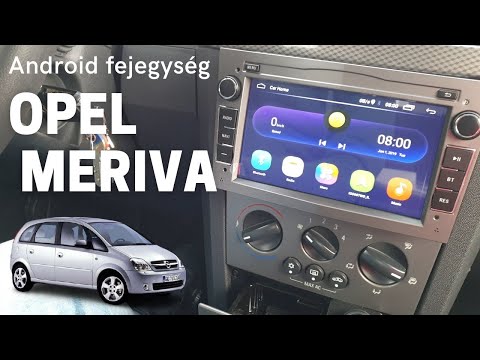 Vauxhall Meriva (2003-2010 / Merivaa, MK 1)
How to Replace the Radio in the Opel Meriva In this tutorial, you will see how to replace the radio in the Opel Meriva, a very simple and quick operation. To do this, you will need two of the specific …Read all… Posted on 21 August 2026 by ScegliAuto 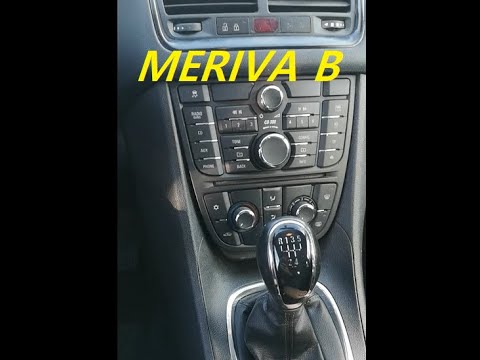 Vauxhall Meriva (2010-2017 / MK 2, Merivab)
How to Replace the Radio in an Opel Meriva? To replace the radio in an Opel Meriva, use a tool to lever off the side panels of the centre console. Once these are completely removed, you can unscrew the …Read all… Posted on 9 July 2026 by ScegliAuto 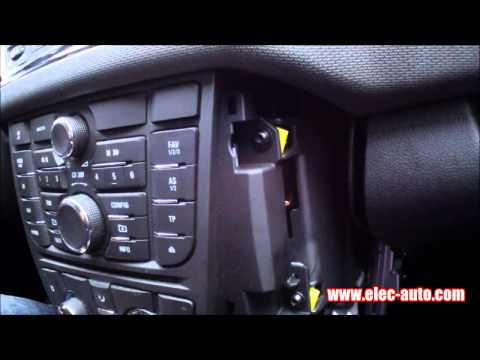 Vauxhall Meriva (2010-2017 / MK 2, Merivab)
Removing the Radio from an Opel Meriva Are you looking to remove the radio to replace it or to connect USB cables? Let's see how to take out the radio from the Meriva along with its components. Use …Read all… Posted on 29 May 2026 by ScegliAuto 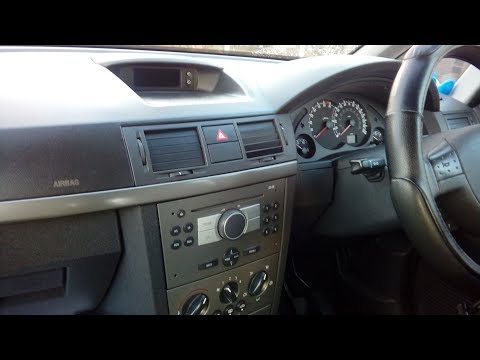 Vauxhall Meriva (2003-2010 / Merivaa, MK 1)
Removing the Car Radio from Opel Meriva Replacing the original radio on an Opel Meriva? Here’s how to remove it. Use the original metal keys to take out the car radio. Insert the keys into the …Read all… Posted on 7 April 2026 by ScegliAuto Car Stereo Vauxhall Meriva (2003-2010 / meriva a, mk 1)
Vauxhall Meriva (2003-2010 / Merivaa, MK 1)How do you replace the Opel Meriva car radio? In order to replace the radio of the Opel Meriva, you need to insert the special hook keys into the four holes located at the corners of the device: once the …Read all… Posted on 9 March 2025 by ScegliAuto
Vauxhall Meriva (2003-2010 / Merivaa, MK 1)How to remove the radio from an Opel Meriva A In this video we can see how to remove the radio from an Opel Meriva "A" with CD30 radio model, as indicated by the code on the device itself. To remove it, we …Read all… Posted on 19 December 2024 by ScegliAuto
Vauxhall Meriva (2010-2017 / MK 2, Merivab)How to Replace the Radio in an Opel Meriva? To replace the radio in an Opel Meriva, use the special hook keys provided with the car, inserting them into the four holes located at the corners of the …Read all… Posted on 22 August 2026 by ScegliAuto
Vauxhall Meriva (2003-2010 / Merivaa, MK 1)How to Replace the Radio in the Opel Meriva In this tutorial, you will see how to replace the radio in the Opel Meriva, a very simple and quick operation. To do this, you will need two of the specific …Read all… Posted on 21 August 2026 by ScegliAuto
Vauxhall Meriva (2010-2017 / MK 2, Merivab)How to Replace the Radio in an Opel Meriva? To replace the radio in an Opel Meriva, use a tool to lever off the side panels of the centre console. Once these are completely removed, you can unscrew the …Read all… Posted on 9 July 2026 by ScegliAuto
Vauxhall Meriva (2010-2017 / MK 2, Merivab)Removing the Radio from an Opel Meriva Are you looking to remove the radio to replace it or to connect USB cables? Let's see how to take out the radio from the Meriva along with its components. Use …Read all… Posted on 29 May 2026 by ScegliAuto
Vauxhall Meriva (2003-2010 / Merivaa, MK 1)Removing the Car Radio from Opel Meriva Replacing the original radio on an Opel Meriva? Here’s how to remove it. Use the original metal keys to take out the car radio. Insert the keys into the …Read all… Posted on 7 April 2026 by ScegliAuto Airbag (3) Alternator (6) Shocks (1) Antenna (2) Air conditioning (2) Car stereo (7) Battery (3) Spark plugs (5) Glow plugs (1) Body (1) Control unit (1) Key (21) Timing belt (10) V-belt (6) Onboard computer (5) Checks and maintenance (20) Dashboard (4) Shifter boot (3) Brake rotors (1) Headlight (8) Tail light (3) Fog lights (2) Air filter (9) Cabin air filter (17) Fuel filter (2) Diesel fuel filter (6) Oil filter (1) Parking brake (3) Clutch (4) Side marker bulb (2) Headlight bulb (21) Tail light bulb (7) License plate light (4) Handle (3) Engine (1) Power window motor (1) Starter motor (4) Transmission fluid (1) Engine oil (2) Clock (4) Door trim panel (12) Front bumper (5) Rear bumper (2) Brake pads (10) Hydraulic pistons (2) Shift knob (4) Pump (5) Fuel pump (3) Push button (4) Instrument cluster (3) Radiator (2) Fuse box (42) Seat (2) Crankshaft position sensor (1) Engine coolant temperature sensor (1) Parking sensors (1) Door lock (3) Oxygen sensor (1) Side mirror (10) Warning light – error code (29) (7) Tire pressure warning light (2) Service warning light (53) Fuel cap (1) Windshield wipers (2) Thermostat (2) Valve (1) EGR valve (2) Side window (1) Steering wheel (3) |
How to Connect the Cables to the Battery of the Citroen Xsara Picasso?
In this tutorial, you will see how to connect the cables to the battery of the Citroen Xsara Picasso, useful if you need to recharge it or perform an emergency start. First, ensure the key is not inserted, then open the bonnet and move to the front of the left headlamp. Next, locate the bolt just behind the filter box and connect the positive terminal clamp to it. Now you can connect the negative terminal to any point on the chassis, such as the indicated point. Once the operation is complete, ensure you disconnect the negative first and then the positive. by ScegliAuto More videos
|
|
For advertising on this site Write to info@scegliauto.com
ScegliAuto is not responsible for any inaccuracy of the data in the lists. To report any inaccuracy or your business (if you own the business in question), please write to info@scegliauto.com
Number of seconds to generate the page: 0.017
(c) ScegliAuto 2026 - info@scegliauto.com - Privacy policy VAT number: IT01247470535 |
