Vauxhall Meriva - Clock
Clock Vauxhall Meriva (2010-2017 / meriva b, mk 2)
Airbag (3)
Alternator (6)
Shocks (1)
Antenna (2)
Air conditioning (2)
Car stereo (9)
Battery (3)
Spark plugs (5)
Glow plugs (1)
Body (1)
Control unit (1)
Key (21)
Timing belt (10)
V-belt (6)
Onboard computer (5)
Checks and maintenance (22)
Dashboard (4)
Shifter boot (3)
Brake rotors (1)
Headlight (8)
Tail light (3)
Fog lights (2)
Air filter (9)
Cabin air filter (17)
Fuel filter (2)
Diesel fuel filter (6)
Oil filter (1)
Parking brake (3)
Clutch (5)
Side marker bulb (2)
Headlight bulb (21)
Tail light bulb (7)
License plate light (4)
Handle (3)
Engine (1)
Power window motor (1)
Starter motor (4)
Transmission fluid (1)
Engine oil (2)
Clock (4)
Door trim panel (12)
Front bumper (5)
Rear bumper (2)
Brake pads (10)
Hydraulic pistons (2)
Shift knob (4)
Pump (5)
Fuel pump (4)
Push button (4)
Instrument cluster (3)
Radiator (2)
Fuse box (42)
Seat (2)
Crankshaft position sensor (1)
Engine coolant temperature sensor (1)
Parking sensors (1)
Door lock (3)
Oxygen sensor (1)
Side mirror (10)
Warning light – error code (29)
Tire pressure warning light (9)
Service warning light (55)
Fuel cap (1)
Windshield wipers (3)
Thermostat (2)
Valve (1)
EGR valve (2)
Side window (1)
Steering wheel (3)
|
How to Open the Hood of the BMW X3
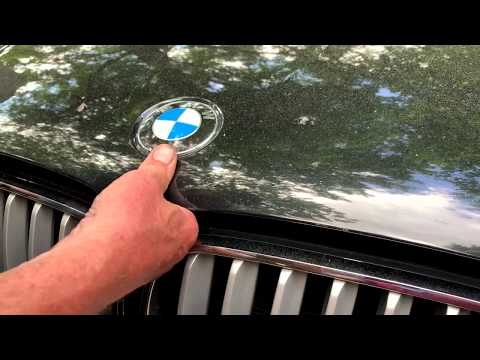
Today, you will learn how to open and close the hood of the BMW X3. To perform this simple operation, lift the hood release lever located next to the door seal on the driver’s side. After pulling the lever, you will notice that the hood will lift slightly. Position yourself in front of the hood and lift it after moving the internal lever from left to right. To keep the hood secure during maintenance, use the side support rod. To close the hood, simply let it fall back into place.
Watch the video!
by ScegliAuto
More videos
|