
|
Do it yourself
| |||
| ||||


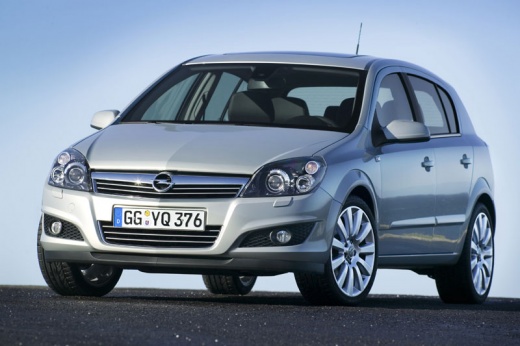
How to reset the service light on the Opel Astra
Model: Vauxhall Astra
Astra H
- Years 2004-2010
These short and simple steps will show us how to reset the service light for the regular maintenance of the engine oil change in the Opel Astra. First, get into the car and start pressing and holding the button on the right side of the instrument panel; then wait for the insp light to appear and flash on the instrument panel display, until the service reset and the kilometers remaining before the next service are completed, as shown in the video. Now turn off the instrument panel and then start the engine, verifying the successful service reset!
Posted on 28 December 2024 by ScegliAuto
Video tutorial
Related tutorials
Vauxhall Astra
(2009-2016 /
Astra J)
In a few simple steps, let's discover how to reset the service light for the routine maintenance oil change on the Opel Astra. First, get into the ve…

Vauxhall Astra
(2009-2016 /
Astra J)
When the service light comes on in a 2016 Opel Astra, it means that a car service is needed. The service includes changing fluids and filters, checki…

Vauxhall Astra
(2015-2022 /
Astra K)
Today's instructions will allow us to reset the maintenance service light of the Opel Astra. First, we get into the car and turn on the instrument pa…
Other guides you may be interested in
|
How to Open the Bonnet on the Lancia Y
To open the bonnet on this vehicle, follow these simple instructions: first, open the driver's door and locate the lever positioned just below the dashboard, marked with an image of the vehicle with the bonnet open. Pull this lever towards you until you hear a "click" indicating the bonnet is released. Next, exit the cabin and stand in front of the bonnet to disengage the safety catch and complete the opening. To do this, slightly lift the bonnet, locate the yellow lever underneath, and pull it to the left to fully release and open the bonnet. by ScegliAuto More videos
|
|
For advertising on this site Write to info@scegliauto.com
ScegliAuto is not responsible for any inaccuracy of the data in the lists. To report any inaccuracy or your business (if you own the business in question), please write to info@scegliauto.com
Number of seconds to generate the page: 0.184
(c) ScegliAuto 2026 - info@scegliauto.com - Privacy policy VAT number: IT01247470535 |
