
|
Do it yourself
| |||
| ||||


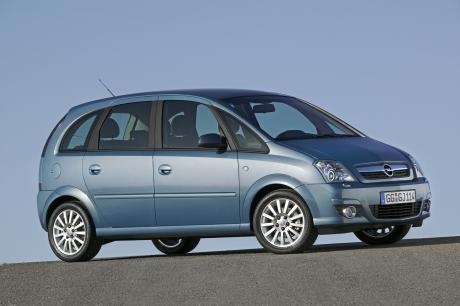
How to Properly Install Parking Sensors on an Opel Meriva
Model: Vauxhall Meriva
Meriva A, MK 1
- Years:
2003, 2004, 2005, 2006, 2007, 2008, 2009, 2010
Video tutorial
Installing parking sensors on your vehicle? In this video, learn how to properly install parking sensors on an Opel Meriva. First, take measurements with a tape measure and mark them on the rear bumper. Then, start drilling with a screwdriver or drill (with a bit) into the rear bumper (if holes are not already present). Install the sensors with their respective cables in the holes on the bumper, and begin routing the wiring into the boot until reaching the buzzer sensor. Connect all cables to the car's power supply. Finally, test the correct operation of the kit previously installed.
Updated on 2 March 2026 by ScegliAuto
Related tutorials
Vauxhall Meriva
(2003-2010 /
Meriva A, MK 1)
This model of car has two fuse boxes. The first box is located in the cabin on the left side of the steering wheel behind a plastic cover, while the …
Vauxhall Meriva
(2010-2017 /
Meriva B, MK 2)
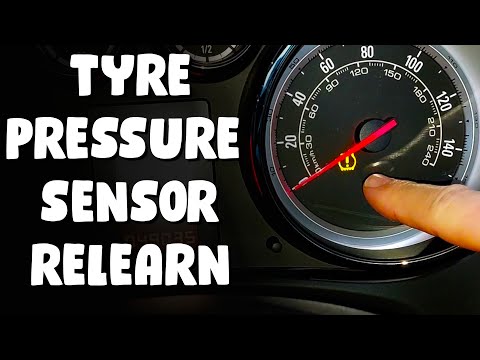
In today's video, you will see how to reset and re-learn the tyre pressure sensors on the Opel Meriva, following these simple steps. First, obtain yo…

Vauxhall Meriva
(2010-2017 /
Meriva B, MK 2)
The electronic sensors installed on the tyres of the Vauxhall Meriva B, as with any other car, serve to alert the driver by illuminating the aforemen…
Other guides you may be interested in
|
How to reset the tyre pressure warning light on the Kia Niro EV?
To reset the tyre pressure warning light on the Kia Niro EV, inflate the tyres until they reach the correct pressure value. This value is indicated on the sticker attached to the driver's door pillar. Once the tyres are inflated, turn on the instrument cluster to check that the warning light has completely disappeared from the display. If it is still present, you may need to drive for a few miles to ensure it disappears completely from the screen. by ScegliAuto More videos
|
|
For advertising on this site Write to info@scegliauto.com
ScegliAuto is not responsible for any inaccuracy of the data in the lists. To report any inaccuracy or your business (if you own the business in question), please write to info@scegliauto.com
Number of seconds to generate the page: 0.028
(c) ScegliAuto 2026 - info@scegliauto.com - Privacy policy VAT number: IT01247470535 |
