
|
Do it yourself
| |||
| ||||


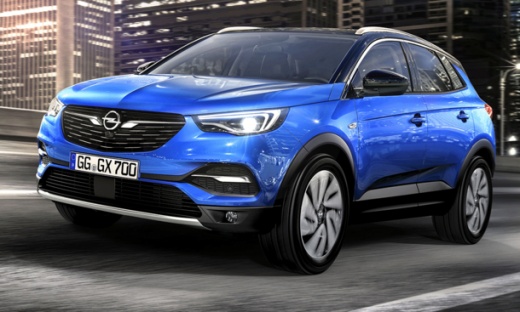
How to Activate the Keyless Go on an Opel Grandland X?
Model: Vauxhall Grandland X
MK 1
- Years:
2017, 2018, 2019, 2020, 2021, 2022, 2023, 2024
Video tutorial
In response to the question posed, the video tutorial here provides support and clears up any doubts. The temporary deactivation of the keyless go on the Opel Grandland X may also depend on a not fully charged battery, which results in a temporary inability to use it remotely. To resolve this, open the vehicle and place the aforementioned keyless fob on the left side of the steering wheel, behind, turn on the instrument panel and wait a few seconds. Once done, the operation is complete, and to verify its functionality, open and close the vehicle remotely using the same key/fob.
Posted on 19 April 2026 by ScegliAuto
Related tutorials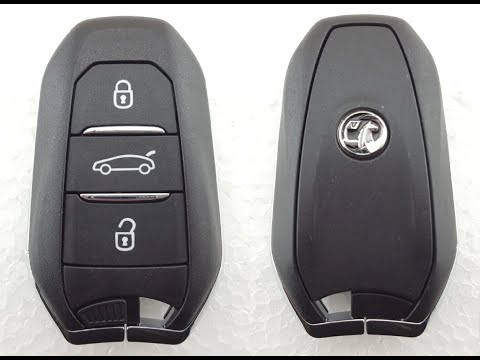
Vauxhall Grandland X
(2017-2024 /
MK 1)
In today's video, learn how to replace the remote battery of the Vauxhall Grandland (or Opel in markets where it is sold under the German brand). Thi…

Vauxhall Grandland X
(2017-2024 /
MK 1)
The video tutorial that can be viewed on this page is not only related to the Opel Grandland X, but to all Opel brand cars. It is easy to understand …
Vauxhall Grandland X
(2017-2024 /
MK 1)
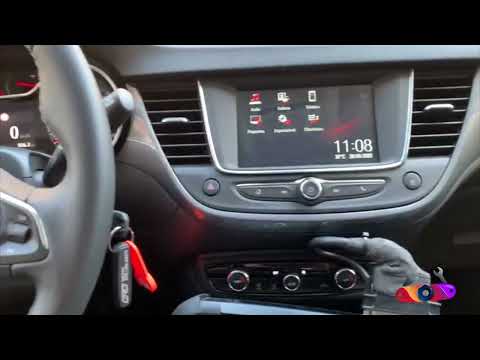
This video tutorial, complete with verbal commentary, explains how to program the key of an Opel vehicle, in this case an Opel Crossland, but the pro…
Other guides you may be interested in
|
Frequently Asked QuestionsHow to reset the tyre pressure warning light on the Kia Niro EV?
To reset the tyre pressure warning light on the Kia Niro EV, inflate the tyres until they reach the correct pressure value. This value is indicated on the sticker attached to the driver's door pillar. Once the tyres are inflated, turn on the instrument cluster to check that the warning light has completely disappeared from the display. If it is still present, you may need to drive for a few miles to ensure it disappears completely from the screen. by ScegliAuto More videos
|
|
For advertising on this site Write to info@scegliauto.com
ScegliAuto is not responsible for any inaccuracy of the data in the lists. To report any inaccuracy or your business (if you own the business in question), please write to info@scegliauto.com
Number of seconds to generate the page: 0.130
(c) ScegliAuto 2026 - info@scegliauto.com - Privacy policy VAT number: IT01247470535 |
