
|
Do it yourself
| |||
| ||||



How to Install an Android Radio in a Vauxhall Astra H
Model: Vauxhall Astra
Astra H
- Years:
2004, 2005, 2006, 2007, 2008, 2009, 2010
Video tutorial
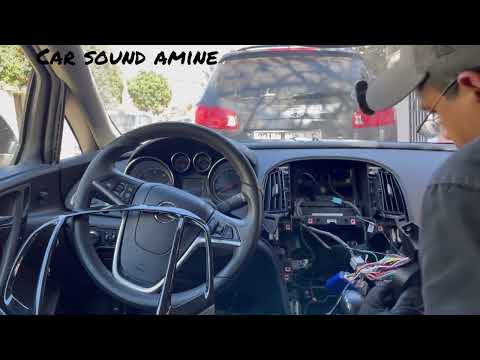
Let's see how to replace the original radio in the Vauxhall Astra H with a 2DIN Android Radio. We will not provide purchase recommendations for the radio unit, as there are options available online for all tastes and budgets, while removal keys can be found on Temu with code 605703649507051 for £1.61, with free delivery for purchases over £20. Using these removal keys, take the unit out of the dashboard, disconnect the electrical connectors, prepare the new unit by connecting the supplied ISO adapter to the vehicle connector, connect the antenna adapter, and if you have steering wheel controls, connect the canbus box to keep them functional, connect the Bluetooth microphone and the rear camera adapter (if present). Insert the antenna, connect the cables to their respective inputs on the radio, connect the canbus box, turn on the ignition to test the radio and ensure everything works. If all is well, push the radio into its final position, reassemble any side panels, and you're done.
Posted on 2 October 2026 by ScegliAuto
Related tutorials
Vauxhall Astra
(2004-2010 /
Astra H)
Installing a 7.0 Android radio in an Opel Astra H is a straightforward task that you can perform independently, aided by our video tutorial. Before i…
Vauxhall Astra
(2009-2016 /
Astra J)
Follow this brief and simple guide to remove and replace the standard radio with an Android type in the Opel Astra. First, get into the vehicle and s…

Vauxhall Astra
(2004-2010 /
Astra H)
To replace the radio of the Opel Astra, model H, we need to purchase radio removal keys online or at auto parts stores. Insert the removal keys into …
ScegliAuto offers an extensive international collection of automotive tutorials available in 12 languages. Each guide combines instructional videos with original explanations written by experienced human editors, along with information about the car models covered.
Other guides you may be interested in
|
How to Reset the Tyre Warning Light on the MG HS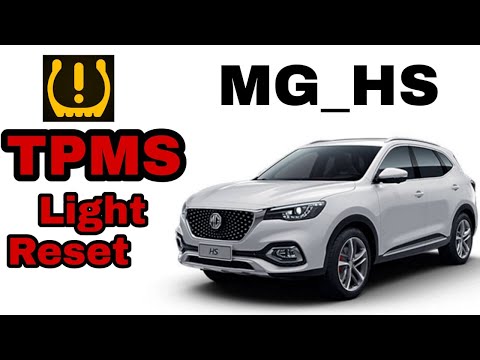
When the tyre warning light (TPMS) illuminates on the dashboard of your new MG HS, it means the vehicle's control unit has detected a puncture or abnormal pressures. Below, we will discover what you need to do to quickly and easily eliminate this warning light. First, pay attention to the sticker located on the side of the door and note the recommended tyre pressures, then proceed to inflate or replace the tyres if there is a puncture. At this point, start the car and drive a few miles to force a new data reading. by ScegliAuto More videos
|
|
For advertising on this site Write to info@scegliauto.com
ScegliAuto is not responsible for any inaccuracy of the data in the lists. To report any inaccuracy or your business (if you own the business in question), please write to info@scegliauto.com
Number of seconds to generate the page: 0.131
(c) ScegliAuto 2026 - info@scegliauto.com - Privacy policy - About us VAT number: IT01247470535 |
