
|
Do it yourself
| |||
| ||||


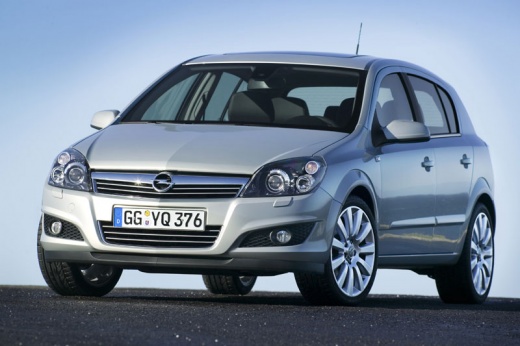
How to Install an Android Radio in an Opel Astra H
Model: Vauxhall Astra
Astra H
- Years:
2004, 2005, 2006, 2007, 2008, 2009, 2010
Video tutorial
Installing a 7.0 Android radio in an Opel Astra H is a straightforward task that you can perform independently, aided by our video tutorial. Before installing the new radio, you must remove the old one. To do this, insert a removal tool into the two designated external holes and pull it out while disconnecting it from its connector. Next, proceed with the installation of the new radio. First, connect it to the existing connectors and cables, use the same tool previously used for removal in the designated holes, and insert the new radio into place. Complete the installation by routing the antenna wire into the glove compartment to connect it to the external antenna.
Updated on 18 October 2026 by ScegliAuto
Related tutorials
Vauxhall Astra
(2004-2010 /
Astra H)
To replace the radio of the Opel Astra, model H, we need to purchase radio removal keys online or at auto parts stores. Insert the removal keys into …

Vauxhall Astra
(2004-2010 /
Astra H)
To install an Android radio in an Opel Astra, you need a radio with cables, an adapter frame, and a CANBUS unit (essential for maintaining steering w…

Vauxhall Astra
(2004-2010 /
Astra H)
Let's see how to replace the original radio in the Vauxhall Astra H with a 2DIN Android Radio. We will not provide purchase recommendations for the r…
Other guides you may be interested in
|
How to reset the tyre pressure warning light on the Kia Niro EV?
To reset the tyre pressure warning light on the Kia Niro EV, inflate the tyres until they reach the correct pressure value. This value is indicated on the sticker attached to the driver's door pillar. Once the tyres are inflated, turn on the instrument cluster to check that the warning light has completely disappeared from the display. If it is still present, you may need to drive for a few miles to ensure it disappears completely from the screen. by ScegliAuto More videos
|
|
For advertising on this site Write to info@scegliauto.com
ScegliAuto is not responsible for any inaccuracy of the data in the lists. To report any inaccuracy or your business (if you own the business in question), please write to info@scegliauto.com
Number of seconds to generate the page: 0.015
(c) ScegliAuto 2026 - info@scegliauto.com - Privacy policy VAT number: IT01247470535 |
