
|
Do it yourself
| |||
| ||||


Vauxhall Vectra - Brake padsBrake Pads Vauxhall Vectra (2002-2008 / vectra c, mk 3)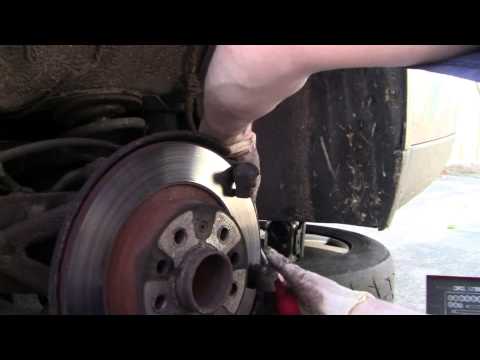 Vauxhall Vectra (1995-2002 / Vectrab, MK 2)
Replacement of Rear Brake Pads Once the vehicle is on suitable axle stands, remove the rear wheel and proceed to remove the retaining pins of the brake caliper (only remove the lower pin to …Read all… Posted on 18 February 2026 by ScegliAuto  Vauxhall Vectra (1995-2002 / Vectrab, MK 2)
Replacement of Front Brake Pads Lift the vehicle on a ramp or suitable axle stands; then remove the front wheel, take off the protective caps from the brake caliper mounting pins, and remove …Read all… Posted on 18 February 2026 by ScegliAuto
Vauxhall Vectra (2002-2008 / Vectrac, MK 3)How to Replace Your Car's Brake Pads Brake pads play a crucial role in vehicle safety, making it essential to keep them in perfect condition. Regular maintenance of your car is necessary to …Read all… Posted on 18 February 2026 by ScegliAuto 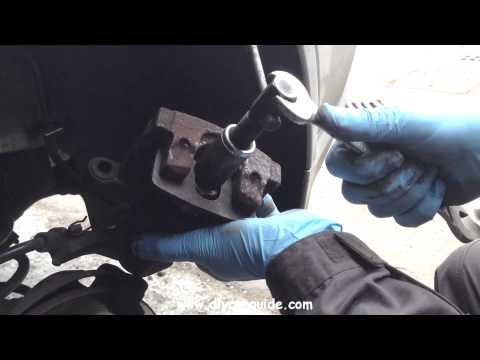 Vauxhall Vectra (2002-2008 / Vectrac, MK 3)
Replacement of Front Brake Pads Remove the plastic covers from the wheel bolts and unscrew the nuts. Lift the vehicle and detach the brake caliper by removing the two spring clips with …Read all… Posted on 12 February 2026 by ScegliAuto 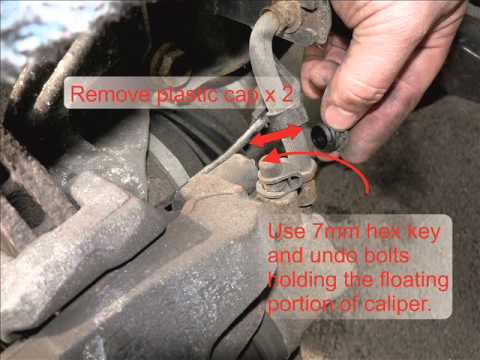 Vauxhall Vectra (2002-2008 / Vectrac, MK 3)
Replacement of front brake pads Remove the plastic covers from the wheel bolts and unscrew the nuts. Lift the vehicle and remove the brake caliper by taking off the two spring clips with …Read all… Posted on 4 February 2026 by ScegliAuto Brake Pads Vauxhall Vectra (1995-2002 / vectra b, mk 2)
Vauxhall Vectra (1995-2002 / Vectrab, MK 2)Replacement of Rear Brake Pads Once the vehicle is on suitable axle stands, remove the rear wheel and proceed to remove the retaining pins of the brake caliper (only remove the lower pin to …Read all… Posted on 18 February 2026 by ScegliAuto
Vauxhall Vectra (1995-2002 / Vectrab, MK 2)Replacement of Front Brake Pads Lift the vehicle on a ramp or suitable axle stands; then remove the front wheel, take off the protective caps from the brake caliper mounting pins, and remove …Read all… Posted on 18 February 2026 by ScegliAuto
Vauxhall Vectra (2002-2008 / Vectrac, MK 3)How to Replace Your Car's Brake Pads Brake pads play a crucial role in vehicle safety, making it essential to keep them in perfect condition. Regular maintenance of your car is necessary to …Read all… Posted on 18 February 2026 by ScegliAuto
Vauxhall Vectra (2002-2008 / Vectrac, MK 3)Replacement of Front Brake Pads Remove the plastic covers from the wheel bolts and unscrew the nuts. Lift the vehicle and detach the brake caliper by removing the two spring clips with …Read all… Posted on 12 February 2026 by ScegliAuto
Vauxhall Vectra (2002-2008 / Vectrac, MK 3)Replacement of front brake pads Remove the plastic covers from the wheel bolts and unscrew the nuts. Lift the vehicle and remove the brake caliper by taking off the two spring clips with …Read all… Posted on 4 February 2026 by ScegliAuto Airbag (1) Shocks (2) Air conditioning (2) Car stereo (2) Anti-roll bar (1) Air vents (1) Bushings (1) Spark plugs (1) Body (2) Control unit (2) Key (1) Timing belt (4) Air conditioner (3) Onboard computer (2) Checks and maintenance (3) Throttle body (1) Dashboard (1) Shifter boot (2) Bearing (1) Brake rotors (2) Headlight (3) Diesel particulate filter (1) Air filter (3) Cabin air filter (3) Diesel fuel filter (4) Oil filter (1) Clutch (2) Window switch (1) Accessory kit (1) Light bulb (1) Headlight bulb (5) Tail light bulb (2) Instrument panel light (1) Engine (2) Starter motor (2) Engine oil (1) Clock (2) Door trim panel (4) Front bumper (2) Brake pads (5) Shift knob (2) Fuel pump (7) Push button (2) Instrument cluster (2) Radiator (2) Heater core (4) Fuse box (17) Seat (2) Door lock (1) Brake system (1) Suspension system (2) Side mirror (4) Warning light – error code (2) (1) Service warning light (9) Windshield wipers (1) Thermostat (2) EGR valve (2) Blower motor (2) Steering wheel (1) |
Fuses Location and Diagram for the Volkswagen Crafter
In this guide, we will look at the location of the fuse boxes and how to find their diagram for the Volkswagen Crafter. First, get inside the vehicle and start by removing the plastic cover found under the steering wheel, to access the internal fuse box; you will find another fuse box in the engine compartment by removing the plastic cover located next to the battery. At this point, use the owner's manual to find the fuse diagram, which will allow you to identify and replace any blown fuses with new ones! by ScegliAuto More videos
|
|
For advertising on this site Write to info@scegliauto.com
ScegliAuto is not responsible for any inaccuracy of the data in the lists. To report any inaccuracy or your business (if you own the business in question), please write to info@scegliauto.com
Number of seconds to generate the page: 0.011
(c) ScegliAuto 2026 - info@scegliauto.com - Privacy policy VAT number: IT01247470535 |
