
|
Do it yourself
| |||
| ||||


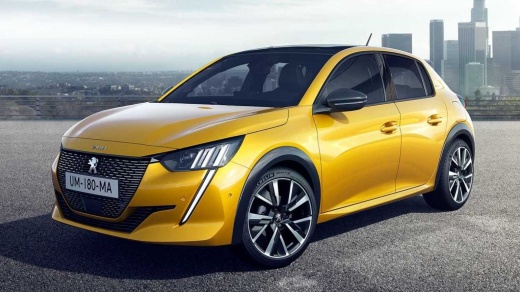
How to restore the power windows of the Peugeot 208
Model: Peugeot 208
UB, UJ, MK 2, UW, UP
- Years:
2019, 2020, 2021, 2022, 2023, 2024, 2025, 2026
Video tutorial
In this video we can see how to reset the automatic windows of the Peugeot 208: it is a common problem after power surges or alarms, and the windows stop working. Turn off the engine and close all the doors. Press and hold together the four window buttons on the driver's door, in the "up" position, pulling upwards. Turn on the instrument panel, without starting the engine, keeping the buttons pressed: count to 15 and then turn off the panel; release the buttons and test the operation. It works because the BSI system (which is the control unit) loses the end stop calibration, and this reset is used to restore it. If the problem persists, then check the F5 fuses on the dashboard and F18 in the engine box. Disconnecting the negative pole of the battery for 10 minutes can also solve the most difficult cases.
Posted on 28 July 2025 by ScegliAuto
Related tutorials
Peugeot 208
(2012-2019 /
MK 1, A9)
If the electric window lifters on your Peugeot 208 have suddenly stopped working, first check the status of the respective fuses, whose location is i…

Peugeot 208
(2012-2019 /
MK 1, A9)
In this video, you will learn how to remove and replace the side glass and window regulator motor on a first-generation Peugeot 208. First, open the …

Peugeot 208
(2019-2026 /
UB, UJ, MK 2, UW, UP)
Today we will discover the procedure for removing the front door panel of the Peugeot 208. First, open the front door of the vehicle and start unscre…
Other guides you may be interested in
|
How to Set the Date and Time on the Iveco Daily
Today, we will see in this video tutorial how to change the date and time on the Iveco Daily. First, get into the vehicle and turn on the instrument panel; then go to the vehicle settings on the central display, pressing the relevant option for date and time. At this point, press the "set" button located at the top, using the physical arrow buttons to set both the date and time; finally, exit the onboard computer menu to save the changes made! by ScegliAuto More videos
|
|
For advertising on this site Write to info@scegliauto.com
ScegliAuto is not responsible for any inaccuracy of the data in the lists. To report any inaccuracy or your business (if you own the business in question), please write to info@scegliauto.com
Number of seconds to generate the page: 0.084
(c) ScegliAuto 2026 - info@scegliauto.com - Privacy policy VAT number: IT01247470535 |
