
|
Do it yourself
| |||
| ||||


How to reset the service on a Peugeot Partner van?
Model: Peugeot Partner Tepee
MK 3
- Years:
2018, 2019, 2020, 2021, 2022, 2023, 2024, 2025, 2026
Video tutorial
In this tutorial, you will see how to reset the service on a Peugeot Partner van, an extremely simple and quick operation to perform only after completing all scheduled maintenance tasks. First, enter the cabin, then insert the key but leave it in the initial position. Next, press the button depicting a spanner located in the centre of the dashboard, turn on the instrument cluster simultaneously, and hold the button until the countdown appears on the display. To complete the procedure, simply restart the vehicle.
Posted on 6 September 2026 by ScegliAuto
Related tutorials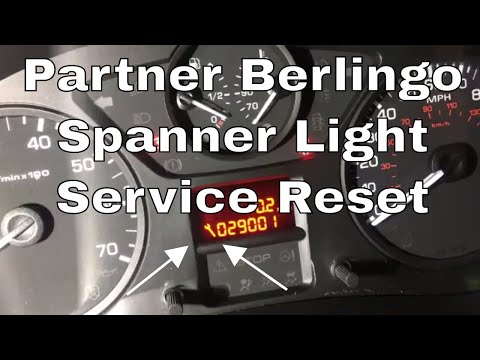
Peugeot Partner Tepee
(2008-2018 /
B9)
As seen in this tutorial, resetting the service light in a Peugeot Partner van is a very simple and quick operation. Before proceeding, ensure that a…

Peugeot Partner Tepee
(2008-2018 /
B9)
In this tutorial we can see how to reset the service in the Peugeot Partner van, an extremely simple and quick operation, to be carried out only once…

Peugeot Partner Tepee
(2008-2018 /
B9)
In this tutorial, we can see how to reset the service in the Peugeot Partner van, an extremely simple and quick operation to be carried out only afte…
Other guides you may be interested in
|
How to Replace the External Door Handle on a Renault Master
Today's instructions will show you the procedure for removing and replacing the external door handle on the front door of the Renault Master. First, open the front door and start removing the door panel by unscrewing all the fixing screws; then unscrew the handle screws, pulling it out from the outside as shown in the video. At this point, install the new external handle, as well as the original one, checking its proper operation; finally, reassemble the door panel, following the video until the end! by ScegliAuto More videos
|
|
For advertising on this site Write to info@scegliauto.com
ScegliAuto is not responsible for any inaccuracy of the data in the lists. To report any inaccuracy or your business (if you own the business in question), please write to info@scegliauto.com
Number of seconds to generate the page: 0.086
(c) ScegliAuto 2026 - info@scegliauto.com - Privacy policy VAT number: IT01247470535 |
