
|
Do it yourself
| |||
| ||||


How to Change Front Brake Discs on Peugeot 207
Model: Peugeot 207
MK 1
- Years 2006-2015
Replacing the brake discs on a Peugeot 207? Let’s look at replacing the front disc. Lift the car on a column lift to the desired height, then remove the wheel using a telescopic spanner. Unscrew the locking bolt of the brake caliper and remove it from the caliper bracket. Once the brake disc is free from its caliper, unscrew the screws with a fixed spanner. Detach the disc from the wheel hub. Remove the various wiring and brake fluid pipes from the wheel hub. Replace them with new parts (always use original and compliant parts). Fit the new disc along with the relevant pads, brake caliper, and caliper bracket.
Updated on 20 March 2026 by ScegliAuto
Video tutorial
Related tutorials
Peugeot 207
(2006-2015 /
MK 1)
Today, you will see step-by-step instructions on how to remove and replace the front brake discs on a Peugeot 207. First, lift the vehicle and start …
Peugeot 207
(2006-2015 /
MK 1)
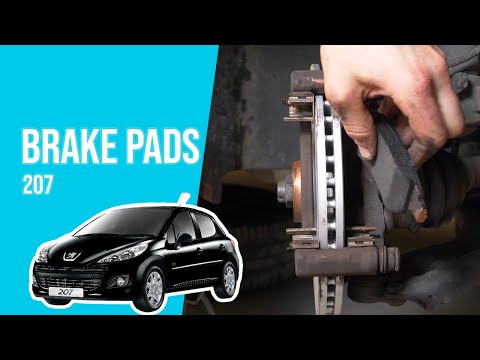
In this video tutorial, you will learn how to replace the front brake pads on a Peugeot 207. First, lift the vehicle and remove the front wheel by un…

Peugeot 207
(2006-2015 /
MK 1)
Let's see how to change the front brake pads of the Peugeot 207: open the hood and the brake fluid reservoir (this will facilitate the retraction of …
Other guides you may be interested in
|
How to reset the tyre pressure warning light on the Dacia Sandero?
To reset the tyre pressure warning light on the Dacia Sandero, inflate all the tyres to the pressure indicated on the label on the driver's door. Once the tyres are inflated, turn on the ignition and navigate through the menu using the controls on the right side of the steering wheel. Scroll with the arrows to find the tyre pressure option: by holding down the OK button located on the right side of the steering wheel, you can reset the warning light. by ScegliAuto More videos
|
|
For advertising on this site Write to info@scegliauto.com
ScegliAuto is not responsible for any inaccuracy of the data in the lists. To report any inaccuracy or your business (if you own the business in question), please write to info@scegliauto.com
Number of seconds to generate the page: 0.071
(c) ScegliAuto 2026 - info@scegliauto.com - Privacy policy VAT number: IT01247470535 |
