
|
Do it yourself
| |||
| ||||


How to Replace the Front Headlight Bulb on a Renault Clio II
Model: Renault Clio
Clio 2, MK 2
- Years 1998-2005
Today, we will explain how to replace the bulb on a Renault Clio model mk2. To replace the front headlight bulb, pull the lever to open the bonnet. After opening the bonnet, remove the protective rubber from the light unit. Disconnect the bulb connector by pressing on it and pulling it outwards. Grip the sides of the bulb to remove it from the light unit. Insert the new bulb into the light unit, avoiding touching the glass. Reconnect the bulb connector and reposition the outer rubber.
Posted on 24 February 2026 by ScegliAuto
Video tutorial
Related tutorials
Renault Clio
(2005-2013 /
MK 3, Clio 3, Clio III)
Today we will explain how to replace the front headlight bulb of a 2011 Renault Clio on your own. It is important during the replacement operation to…
Renault Clio
(2012-2019 /
Clio IV, MK 4, Clio 4)
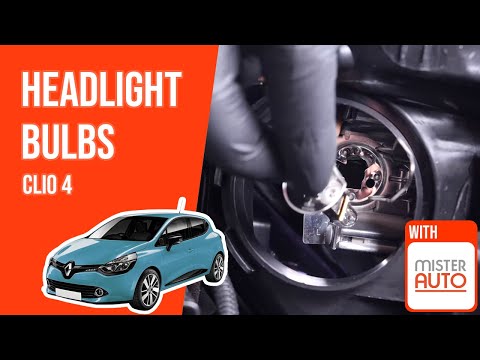
To replace the front headlight bulb on a Renault Clio 4, open the bonnet to access the rear of the headlight corresponding to the bulb to be replaced…

Renault Clio
(2012-2019 /
Clio IV, MK 4, Clio 4)
The steps to replace the headlight bulb of a Renault Clio 4 are: -The first step is to open the front hood. -The second step is to remove the light c…
Other guides you may be interested in
|
How to Reset the Central Locking of the Volkswagen Golf 4?
If the central locking system of the Volkswagen Golf 4 is not working, it is likely necessary to reset the system: to do this, open the driver's door and detach the side panel of the dashboard next to the steering wheel. Under this panel, you will find the fuses, including the one for the central locking, which is indicated in the manual as number 14. To reset the system, remove this fuse from its housing, then reinsert it or replace it with a new one of the same amperage: this will reset the central locking system. by ScegliAuto More videos
|
|
For advertising on this site Write to info@scegliauto.com
ScegliAuto is not responsible for any inaccuracy of the data in the lists. To report any inaccuracy or your business (if you own the business in question), please write to info@scegliauto.com
Number of seconds to generate the page: 0.121
(c) ScegliAuto 2026 - info@scegliauto.com - Privacy policy VAT number: IT01247470535 |
