
|
Do it yourself
| |||
| ||||


|
This video is currently unavailable
This video illustrates the steps to remove and replace the dashboard of the Saab 9-3. First, you need to remove the two air vents located in the driver's area: they are attached to the dashboard with clips, so to remove them, use a plastic lever and a small screwdriver to detach the clips. You can also use your fingers. Once the right vent is detached, pull it out of its slot. Perform the same operation for the left vent. Now remove the two screws that secure the radio unit, and after extracting it, disconnect its connectors. You can now slide out the button panel located next to the radio block; also detach its connector. Next, unscrew the seven screws that secure the entire panel (their location is indicated in the video). Move the steering wheel forward as much as possible and extract the dashboard. Retrieve the original screws from the old dashboard and use them to mount the new one. Reassemble the panel and secure it with the seven screws. Reconnect the button panel and place it back in its slot. Now do the same with the radio block and secure it with the two screws. Before proceeding, check the radio's functionality. Finally, reinsert the two air vents.
Updated on 4 February 2026 by ScegliAuto
Related tutorials
Saab 9 3
(2002-2014 /
MK 2)
If the cabin fan does not operate correctly or there is no change in airflow with varying fan speeds, the fault is likely in the fan control unit. Th…

Saab 9 3
(2002-2014 /
MK 2)
Using a plastic spatula, detach the climate control console and disconnect the connector by first removing the locking clip. With the aid of two plas…
Saab 9 3
(2002-2014 /
MK 2)
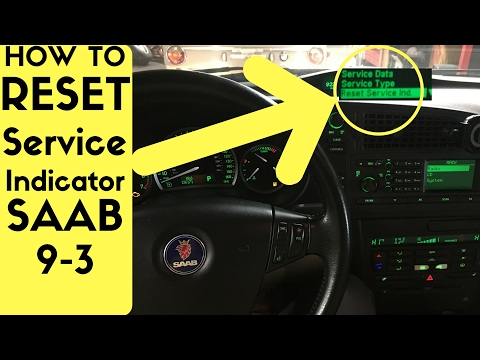
After performing the service with an oil change on the Saab 9-3, you need to manually reset the warning light and the associated mileage count. To do…
Other guides you may be interested in
|
How to Set the Time in an Audi A4?
In this tutorial, you will see how to set the time in an Audi A4, a very simple and quick operation to perform after replacing the battery or when the time changes. First, insert the key and turn on the instrument cluster. Then, press the "SETUP" button located on the center console. Next, press the upper left arrow button, navigate to the "Time" option, and use the central knob to adjust the clock. Finally, set any necessary formats and save by returning to the main screen. by ScegliAuto More videos
|
For advertising on this site Write to info@scegliauto.com
ScegliAuto is not responsible for any inaccuracy of the data in the lists. To report any inaccuracy or your business (if you own the business in question), please write to info@scegliauto.com
Number of seconds to generate the page: 0.030
(c) ScegliAuto 2026 - info@scegliauto.com - Privacy policy VAT number: IT01247470535 |
