
|
Do it yourself
| |||
| ||||


How to Remove an Engine from a Subaru Outback
Model: Subaru Outback
BL, BP, MK 3
- Years:
2003, 2004, 2005, 2006, 2007, 2008, 2009
Video tutorial
In this video, let's see how to remove an engine from a Hyundai. Position the car on a column lift, then remove the plastic engine cover and the air filter. Disconnect the battery terminals, remove the radiator ventilation hoses, and use a cordless drill to remove the alternator. Take off the attached cables and pull it out. Remove the cooling system fans, disconnect the fuel supply, and detach the exhaust manifold, along with the last water hoses as shown in the video. Remove all the engine mounting bolts, then use a jack to lift the engine out of the bay. Once the engine is rebuilt or a new one is purchased, insert it into the engine bay and connect it to the gearbox. Reassemble all parts in reverse order.
Updated on 25 February 2026 by ScegliAuto
Related tutorials
Subaru Outback
(2009-2014 /
BR, BM, MK 4)
Before you begin, exit the cabin of your Subaru Outback. Start by checking and inflating the car's tyres until they all reach the correct pressure. N…

Subaru Outback
(2003-2009 /
BL, BP, MK 3)
To replace the fuel filter in a Subaru Outback, you need to completely remove the rear seat bench to access the components underneath. Here, you will…
Subaru Outback
(2014-2019 /
BS, MK 5)
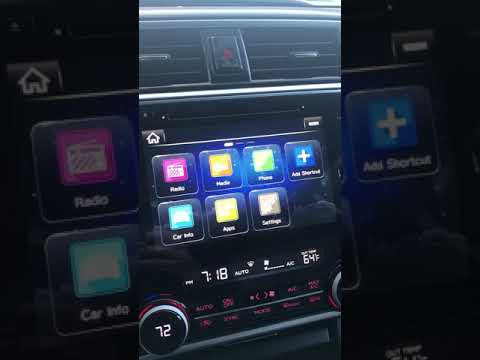
Good morning, today’s goal is to modify the time on the onboard computer of your Subaru Outback. Start by sitting in the driver’s seat of the vehicle…
Other guides you may be interested in
|
How to Set the Time in an Audi A4?
In this tutorial, you will see how to set the time in an Audi A4, a very simple and quick operation to perform after replacing the battery or when the time changes. First, insert the key and turn on the instrument cluster. Then, press the "SETUP" button located on the center console. Next, press the upper left arrow button, navigate to the "Time" option, and use the central knob to adjust the clock. Finally, set any necessary formats and save by returning to the main screen. by ScegliAuto More videos
|
|
For advertising on this site Write to info@scegliauto.com
ScegliAuto is not responsible for any inaccuracy of the data in the lists. To report any inaccuracy or your business (if you own the business in question), please write to info@scegliauto.com
Number of seconds to generate the page: 0.082
(c) ScegliAuto 2026 - info@scegliauto.com - Privacy policy VAT number: IT01247470535 |
