
|
Do it yourself
| |||
| ||||


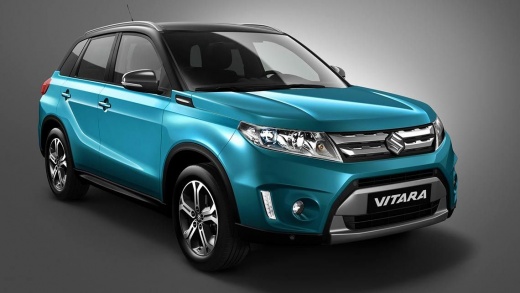
How the Infotainment System Works on the Suzuki Vitara
Model: Suzuki Vitara
LY
- Years:
2015, 2016, 2017, 2018, 2019, 2020, 2021, 2022, 2023, 2024
Video tutorial
Let's see how the infotainment system works on the Suzuki Vitara: all controls are touch-based, with no knobs or buttons, which may not be optimal while driving. However, there are controls that can be activated directly from the steering wheel without needing to look at the screen. The controls are arranged in vertical lines, and the voice command button is on the right side of the screen; at the bottom is the settings button. Connect your smartphone to the system, and you can typically read messages, make calls, and access all the usual functions. In the audio sources, you will see all the various bands, and in the media section, you will find all the different ways to listen to music. In every screen, there are always shortcuts for the four main functionalities: audio, navigation, mobile. This system is not very Android-friendly, but it works perfectly with CarPlay. It uses a cable. The sound quality of the stereo system is very good, which is not always the case in a vehicle. There is also the Suzuki navigation system, which is very intuitive and practical. From the home page, using the central star-shaped button, you can access the favourites for each functionality.
Updated on 23 June 2026 by ScegliAuto
Related tutorials
Suzuki Vitara
(2015-2024 /
LY)
In this video, learn how to use the Hill Descent Control function on the Suzuki Vitara: it directly engages the vehicle's brakes, activating them as …

Suzuki Vitara
(2015-2024 /
LY)
In this video, see how the blind spot monitoring system works on the Suzuki Vitara: it alerts you when a vehicle approaches your car, and when a vehi…

Suzuki Vitara
(2015-2024 /
LY)
The following steps will allow you to remove and replace the standard radio and multimedia system in the Suzuki Vitara. First, get inside the cabin a…
Other guides you may be interested in
|
How to Remove the Rear Seat of a Hyundai Tucson?
To remove the rear seat of a Hyundai Tucson, follow these steps. Start by moving the front seats to their most forward position to gain space. Next, locate the release lever on the underside of the rear seat, near the floor. Press this lever down while pulling the seat upwards to unlock it from the anchor pins. Once unlocked, tilt the seat upwards and forwards to remove it from its position. Repeat this process for both sides of the rear seat. Be careful of any electrical cables or components that may be connected to the seat during removal. Once the rear seat is removed, the disassembly is complete. by ScegliAuto More videos
|
|
For advertising on this site Write to info@scegliauto.com
ScegliAuto is not responsible for any inaccuracy of the data in the lists. To report any inaccuracy or your business (if you own the business in question), please write to info@scegliauto.com
Number of seconds to generate the page: 0.022
(c) ScegliAuto 2026 - info@scegliauto.com - Privacy policy VAT number: IT01247470535 |
