
|
Do it yourself
| |||
| ||||


How to Restart the Onboard Computer of a Tesla Model Y
Model: Tesla Model Y
MK 1
- Years 2020-2026
Today, we will explain how to restart the onboard computer of a Tesla Model Y, produced from 2020 to present, while driving. In new vehicles, you can restart the instrument cluster by pressing the buttons on the steering wheel simultaneously. By holding down the buttons, the onboard computer will automatically shut off and then turn back on at the moment you decide to restart it, thus refreshing the screen you were working on or following the Navigation. This operation is very useful when the multimedia system freezes unexpectedly.
Posted on 6 June 2026 by ScegliAuto
Video tutorial
Related tutorials
Tesla Model Y
(2020-2026 /
MK 1)
Tesla Model Y vehicles do not require a manual TPMS reset as they automatically reset the light once the tire pressure is updated. To reset the light…

Tesla Model Y
(2020-2026 /
MK 1)
Today, you will learn how to adjust the headlights on the Tesla Model Y. To adjust the headlight height, turn on the vehicle's onboard computer and s…

Tesla Model Y
(2020-2026 /
MK 1)
If you do not know how to properly replace the front windshield wiper of your Tesla Model Y, then all you have to do is follow the following procedur…
Other guides you may be interested in
|
How to Check the Oil Level on a Jeep Renegade?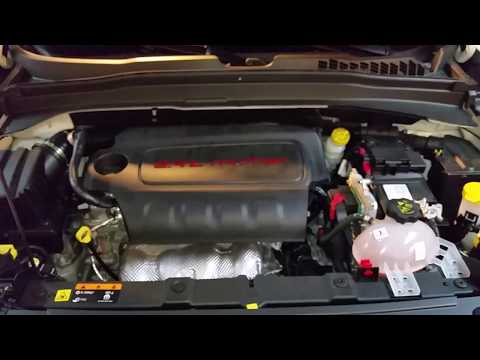
To check the oil level on a Jeep Renegade, you need to open the bonnet to access the components inside the engine bay: on the lower left side of the engine block, you will find the dipstick for checking the level. This should be pulled out and thoroughly cleaned with a cloth: once cleaned, reinsert it back into its tube and pull it out immediately after. This way, you can check that the oil mark is between the minimum and maximum levels; finally, you can place the dipstick back in its tube. by ScegliAuto More videos
|
|
For advertising on this site Write to info@scegliauto.com
ScegliAuto is not responsible for any inaccuracy of the data in the lists. To report any inaccuracy or your business (if you own the business in question), please write to info@scegliauto.com
Number of seconds to generate the page: 0.690
(c) ScegliAuto 2026 - info@scegliauto.com - Privacy policy VAT number: IT01247470535 |
