
|
Do it yourself
| |||
| ||||


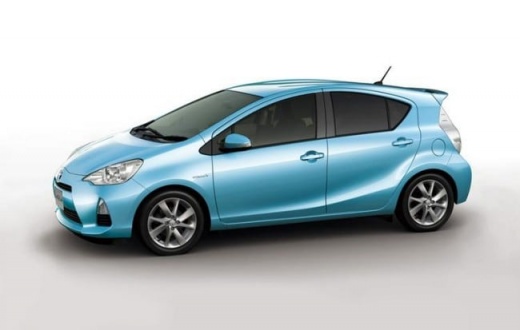
How to Keep the Hybrid Batteries of the Toyota Prius C Efficient
Model: Toyota Prius C Aqua
MK 1
- Years:
2011, 2012, 2013, 2014, 2015, 2016, 2017, 2018, 2019, 2020, 2021
Video tutorial
How to keep the traction battery of the Toyota Prius C (and generally all those from the Toyota group) in perfect condition. Under the rear passenger seats, there are ventilation ducts where the intake filters are located, which must be kept clean. This operation should be done regularly, at least once a year. Open the ducts and clean the filters using a can of compressed air. Replace the rubber filter in front of the ventilation ducts (very easy to remove) and clean the ducts as well. For a thorough job, use a vacuum cleaner to suck out debris from inside while you clean with a brush or a paintbrush. Then, reassemble everything, and now that everything is clean, the operation will be optimal.
Updated on 10 June 2026 by ScegliAuto
Related tutorials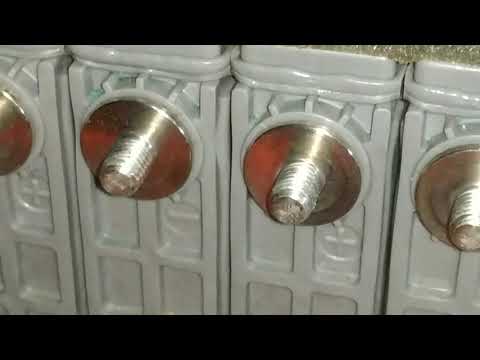
Toyota Prius C Aqua
(2011-2021 /
MK 1)
Not everyone knows there is a very simple way to keep the battery cell terminals on the Toyota Prius C Aqua clean and efficient without spending a lo…
Toyota Prius C Aqua
(2011-2021 /
MK 1)
This video shows the procedure to reset the maintenance light on a Toyota Prius C. First, get in the vehicle and turn the ignition key to the first p…

Toyota Prius C Aqua
(2011-2021 /
MK 1)
In this tutorial, you will see how to replace the remote battery of the Toyota Prius C, a very simple and quick operation. You will not need any spec…
Other guides you may be interested in
|
How to reset the tyre pressure warning light on the Kia Niro EV?
To reset the tyre pressure warning light on the Kia Niro EV, inflate the tyres until they reach the correct pressure value. This value is indicated on the sticker attached to the driver's door pillar. Once the tyres are inflated, turn on the instrument cluster to check that the warning light has completely disappeared from the display. If it is still present, you may need to drive for a few miles to ensure it disappears completely from the screen. by ScegliAuto More videos
|
|
For advertising on this site Write to info@scegliauto.com
ScegliAuto is not responsible for any inaccuracy of the data in the lists. To report any inaccuracy or your business (if you own the business in question), please write to info@scegliauto.com
Number of seconds to generate the page: 0.054
(c) ScegliAuto 2026 - info@scegliauto.com - Privacy policy VAT number: IT01247470535 |
