
|
Do it yourself
| |||
| ||||


How to Reset the Maintenance Light on the Toyota RAV4
Model: Toyota Rav 4
Xa50, MK 5
- Years 2019-2026
In this new mini guide dedicated to your new Toyota RAV4 fifth generation (2019-2023), you will discover the steps to manually reset the maintenance light that appears on the dashboard. First, enter the vehicle and start the ignition if you haven't done so already. Immediately press the menu button located on the left side of the steering wheel and scroll down. Select "Vehicle settings" and finally click on "Scheduled Maintenance". Confirm the reset of the light, and a few seconds later you are done.
Updated on 16 July 2026 by ScegliAuto
This video is currently unavailable
Related tutorials
Toyota Rav 4
(2019-2026 /
Xa50, MK 5)
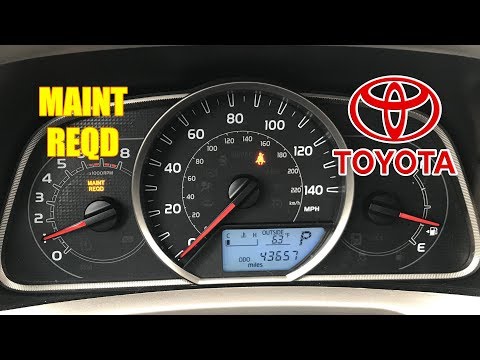
To reset the "Service" light on a Toyota RAV4, start by turning on the instrument panel without starting the engine. Use the buttons on the steering …
Toyota Rav 4
(2013-2018 /
MK 4, Xa40)
.. In this video, you can see how to reset the maintenance light on the Toyota RAV4, a very simple and quick operation. First, turn.. …

Toyota Rav 4
(2019-2026 /
Xa50, MK 5)
To reset the "Service" light on a Toyota RAV4, you can use the buttons on the steering wheel to access the settings menu. Once in the menu, look for …
Other guides you may be interested in
|
Frequently Asked QuestionsHow to Replace the Cabin Filter on the Opel Grandland X
If you own an Opel Grandland X and want to know the steps to replace the cabin air filter, carefully read the following guide and follow the described steps. First, enter the vehicle and go to the passenger side. Then, locate the box containing the air filter in the lower side area of the dashboard. Remove the cover of the box and finally replace the old filter with the new one. Refit the cover, and you are done. by ScegliAuto More videos
|
|
For advertising on this site Write to info@scegliauto.com
ScegliAuto is not responsible for any inaccuracy of the data in the lists. To report any inaccuracy or your business (if you own the business in question), please write to info@scegliauto.com
Number of seconds to generate the page: 0.961
(c) ScegliAuto 2026 - info@scegliauto.com - Privacy policy VAT number: IT01247470535 |
