
|
Do it yourself
| |||
| ||||


In the Volkswagen Passat B7, how do you deactivate the alarm system?
Model: Volkswagen Passat
B7
- Years 2010-2014
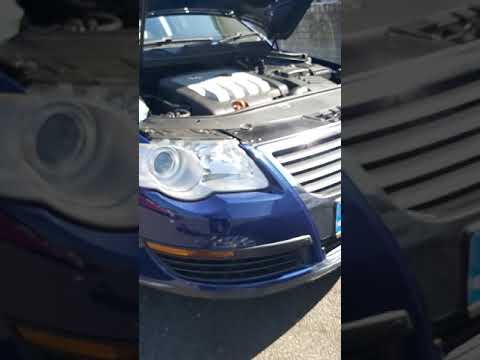
The Volkswagen Passat series b6, b7, and b8 share several aspects, such as the activation and deactivation of the alarm system. In this case, we are specifically asked how to deactivate the alarm system of our car, the Volkswagen Passat b7. Well, from the video guide uploaded here, we can see how simple this is. In fact, the protagonist uses their remote control to activate and deactivate the alarm, pressing the appropriate buttons and even doing a practical test. With the alarm system activated, they open one of the doors from the inside handle and the audible alarm sounds, indicating a possible theft attempt.
Posted on 10 October 2025 by ScegliAuto
Video tutorial
Related tutorials
Volkswagen Passat
(2005-2010 /
B6, 3C)
The procedure for deactivating the alarm of the Volkswagen Passat can be carried out by first locating the system that triggers its activation: this …

Volkswagen Passat
(2005-2010 /
B6, 3C)
Disabling the alarm of the Volkswagen Passat involves first locating the device that activates it: this is located inside the engine compartment. In …
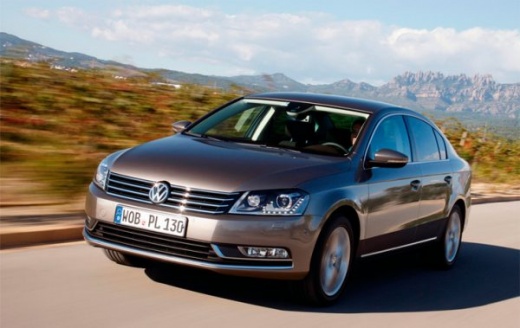
Volkswagen Passat
(2005-2010 /
B6, 3C)
To disable the alarm on a Volkswagen Passat, first locate the system that activates it: this is positioned inside the engine bay. To access it, you w…
Other guides you may be interested in
|
Frequently Asked QuestionsHow to reset the tire pressure sensor of the Hyundai Tucson
Below we will discover the instructions that will allow us to reset the tire pressure warning light (TPMS) of the Hyundai Tucson. First of all, we get into the car and turn on the instrument panel; then we go to the vehicle settings until we reach the tire pressure monitor, identifying the tire with the incorrect pressure. At this point, we proceed to restore all tire pressures, following the pattern indicated on the label; in this way the TPMS system will be reset and the warning light will be reset by the instrument panel! by ScegliAuto More videos
|
|
For advertising on this site Write to info@scegliauto.com
ScegliAuto is not responsible for any inaccuracy of the data in the lists. To report any inaccuracy or your business (if you own the business in question), please write to info@scegliauto.com
Number of seconds to generate the page: 0.062
(c) ScegliAuto 2026 - info@scegliauto.com - Privacy policy VAT number: IT01247470535 |
