
|
Do it yourself
| |||
| ||||


How to change the front brakes of the Volkswagen UP
Model: Volkswagen Up
MK 1
- Years 2011-2024
On the Volkswagen UP, the replacement of the front brakes begins with securing the vehicle on jack stands. Loosen the wheel nuts of the Volkswagen UP, lift the affected side, and remove the wheel. Open the brake fluid reservoir to facilitate the retraction of the piston. Remove the caliper by unscrewing the two guide bolts, lift the caliper, and take out the brake pads along with the springs/clips. Retract the piston using the appropriate tool, check and lubricate the guides with suitable grease. Regarding the discs, unscrew the retaining screw of the disc and free the hub from rust using a brush; install the new disc, cleaned of protective oils. Reattach the bracket and caliper with the new pads, ensuring the correct orientation and inserting the clips into their slots. Tighten the bolts to the manufacturer's specified torque, reattach the wheel, and torque the nuts to the specified value. Pump the brake pedal two to three times to bring the pads closer to the disc, check the fluid level, and ensure there are no leaks. Conclude with a bedding-in process for the Volkswagen UP's brake pads, avoiding sudden braking during the first few kilometers.
Posted on 18 December 2025 by ScegliAuto
This video is currently unavailable
Related tutorials
Volkswagen Up
(2011-2024 /
MK 1)
Below we will see step-by-step instructions on how to disassemble and replace the front brake pads of the Volkswagen Up. First, lift the vehicle and …
Volkswagen Up
(2011-2024 /
MK 1)
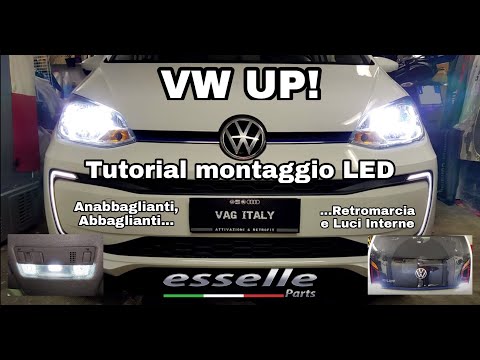
This video tutorial shows the procedure to replace the bulbs of the front, rear, and interior lights of a Volkswagen Up. To replace the front headlig…

Volkswagen Up
(2011-2024 /
MK 1)
Today's guide will show us how to adjust the height of the headlights on the Volkswagen Up in simple steps. First, let's position ourselves in front …
Other guides you may be interested in
|
How to Reset the Tyre Pressure Light on the Opel Grandland X
While driving, if you notice the tyre pressure warning light coming on, first check the actual inflation pressure of the tyres and, if necessary, restore the pressures recommended by the manufacturer. After restoring the correct pressures, you need to reset the warning light that has illuminated on the instrument cluster. To do this, locate the reset button on the lower central console. Press this button and hold it down for at least 3 seconds, after which the low pressure indication will turn off. by ScegliAuto More videos
|
|
For advertising on this site Write to info@scegliauto.com
ScegliAuto is not responsible for any inaccuracy of the data in the lists. To report any inaccuracy or your business (if you own the business in question), please write to info@scegliauto.com
Number of seconds to generate the page: 0.077
(c) ScegliAuto 2026 - info@scegliauto.com - Privacy policy VAT number: IT01247470535 |
