
|
Do it yourself
| |||
| ||||


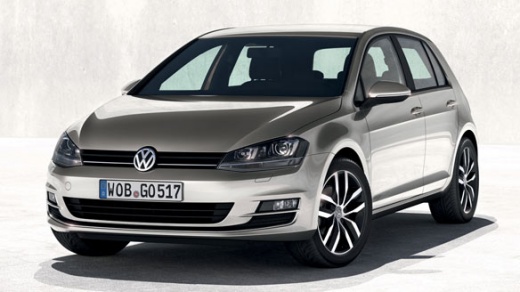
How to Reset the Service Light on the Volkswagen Golf 7?
Model: Volkswagen Golf
MK 7, Golf 7, Golf VII
- Years:
2012, 2013, 2014, 2015, 2016, 2017, 2018, 2019
Video tutorial
On the Volkswagen Golf 7, the maintenance service light reset procedure is as follows: turn on the instrument cluster, then press and hold the button located between the rev counter and the speedometer and wait for the spanner light and the attached text message to disappear. This procedure should only be performed after completing all scheduled tasks listed in the owner's manual, such as oil change, oil filter, and so on. The timing of each service is always linked to either mileage or elapsed time.
Posted on 9 February 2026 by ScegliAuto
Related tutorials
Volkswagen Golf
(2019-2026 /
MK 8, Golf 8, Golf Viii)
To reset the Service light on the Volkswagen Golf, turn on the instrument cluster using the appropriate button to navigate within the menu. Use the d…

Volkswagen Golf
(1997-2003 /
Golf IV, Golf 4, MK 4)
The procedure we are about to see allows us to reset the service light on a Volkswagen Golf MK4, which is the fourth version of this model produced a…

Volkswagen Golf
(2003-2008 /
Golf 5, MK 5, Golf V)
From the instrument panel of the Volkswagen Golf 5, you can eliminate the service light by holding down the button located on the right side of the i…
Other guides you may be interested in
|
How to Open the Bonnet of a Toyota C-HR
To open the bonnet of a Toyota C-HR, get inside the vehicle and lift the lever with the bonnet symbol located under the steering wheel. After lifting the lever, you will notice that the bonnet rises a few centimetres. Position yourself in front of the bonnet, insert your hand into the gap, and move the small internal lever from right to left, then lift the bonnet. You can keep the bonnet open during maintenance by positioning it on the support rod. To close the bonnet, remove the support rod and let it drop back down. by ScegliAuto More videos
|
|
For advertising on this site Write to info@scegliauto.com
ScegliAuto is not responsible for any inaccuracy of the data in the lists. To report any inaccuracy or your business (if you own the business in question), please write to info@scegliauto.com
Number of seconds to generate the page: 0.205
(c) ScegliAuto 2026 - info@scegliauto.com - Privacy policy VAT number: IT01247470535 |
