
|
Do it yourself
| |||
| ||||


How to Change the Oil and Filter on a Volkswagen Golf V
Model: Volkswagen Golf
MK 5, Golf 5, Golf V
- Years 2003-2008
Let's see how to change the engine oil and filter on a Volkswagen Golf V: open the bonnet, remove the engine cover and disconnect the manifold hose. Open the oil filler cap, lift the front of the car and remove the lower protection. Place a collection container under the oil sump and drain the used oil: dispose of it properly along with the filter at an authorised centre. Once drained, replace the sealing bolt with a new one and reassemble it. Now remove the heat shield from the exhaust to access the filter, take the container to collect the residual oil and loosen the filter with a 30 mm socket. When the filter comes out, turn it upside down to avoid spilling oil. Lubricate the seal of the new filter with new oil and screw it on, then reassemble the heat shield and the plastic base. Lower the car and add 90% of the required amount of oil. Close the cap, reattach the manifold hose, insert the connector into its housing and reassemble the engine cover. Start the engine and let it run for 5 seconds. Turn it off and wait a few minutes. Check the level and adjust by adding more oil if necessary.
Posted on 25 April 2026 by ScegliAuto
Video tutorial
Related tutorials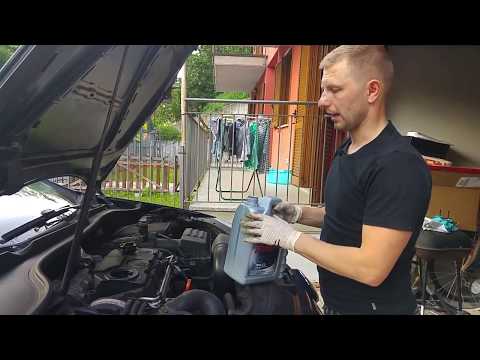
Volkswagen Golf
(2003-2008 /
MK 5, Golf 5, Golf V)
Today, I will show you how to change the engine oil and filter on your Volkswagen Golf. It is not a very complex operation; just be careful. First, r…

Volkswagen Golf
(2008-2012 /
MK 6, Golf VI, Golf 6, 5K1)
The oil change on a Volkswagen Golf model 6 can be done independently with a few simple steps. We open the front hood and unscrew the oil tank cap to…

Volkswagen Golf
(2008-2012 /
MK 6, Golf VI, Golf 6, 5K1)
When the oil warning light comes on in a Volkswagen Golf, it means that it is necessary to proceed with the replacement of the engine oil and the rel…
Other guides you may be interested in
|
Frequently Asked QuestionsHow to Reset the Central Locking of the Volkswagen Golf 4?
If the central locking system of the Volkswagen Golf 4 is not working, it is likely necessary to reset the system: to do this, open the driver's door and detach the side panel of the dashboard next to the steering wheel. Under this panel, you will find the fuses, including the one for the central locking, which is indicated in the manual as number 14. To reset the system, remove this fuse from its housing, then reinsert it or replace it with a new one of the same amperage: this will reset the central locking system. by ScegliAuto More videos
|
|
For advertising on this site Write to info@scegliauto.com
ScegliAuto is not responsible for any inaccuracy of the data in the lists. To report any inaccuracy or your business (if you own the business in question), please write to info@scegliauto.com
Number of seconds to generate the page: 0.111
(c) ScegliAuto 2026 - info@scegliauto.com - Privacy policy VAT number: IT01247470535 |
