
|
Do it yourself
| |||
| ||||


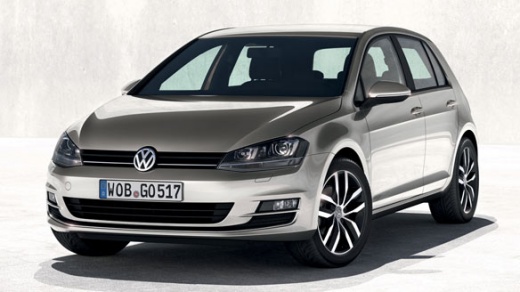
How to Activate App Connect on the Volkswagen Golf 7
Model: Volkswagen Golf
MK 7, Golf 7, Golf VII
- Years:
2012, 2013, 2014, 2015, 2016, 2017, 2018, 2019
Video tutorial
Today, you will learn how to customise the instrument cluster, onboard computer, and functionality of the 2018 Volkswagen Golf with a 125 horsepower petrol engine. On new models, it is possible to modify the instrument cluster settings by selecting the colour, brightness, size, and layout of the digital display. To make these changes, turn on the vehicle's instrument cluster and use the onboard computer to select the general menu option. From the menu, select display settings to make your preferred adjustments. By updating the system, you can also modify the navigation settings to include the speed camera package. You can set navigation to your favourite addresses so that with a voice command, your vehicle can set the route and take you to your destination. Through the door and window opening and closing settings, you can choose whether to automatically fold the external mirrors and close the windows when locking the vehicle with the remote button. This command also allows you to set the alarm and warning mode. Using the Bluetooth option, you can connect your Android or Apple device to the vehicle for an even more personalised experience. Simply enter the code that appears on the instrument cluster or onboard computer display to complete the pairing.
Posted on 3 June 2026 by ScegliAuto
Related tutorials
Volkswagen Golf
(2019-2026 /
MK 8, Golf 8, Golf Viii)
In order to activate App Connect on the Volkswagen Golf, you need to download the application on your smartphone: once it is installed, you can acces…

Volkswagen Golf
(2012-2019 /
MK 7, Golf 7, Golf VII)
The procedure to activate App Connect on the Volkswagen Golf cannot be performed independently: you must visit an official brand network or an author…

Volkswagen Golf
(2012-2019 /
MK 7, Golf 7, Golf VII)
The App Connect system on the Volkswagen Golf can be unlocked by contacting your dealer or the official vehicle network: entering a code will be nece…
Other guides you may be interested in
|
How to open the bonnet on a Volkswagen Golf?
In this tutorial, you will see how to open the bonnet on a Volkswagen Golf MK4. This is a very simple operation that follows the standard procedure. First, open the driver's door, then locate the lever in the lower left area and pull it. Next, move to the front of the vehicle, lift the bonnet slightly, and find the second lever located just above the Volkswagen logo. At this point, simply pull it towards you, fully open the bonnet, and secure it with the prop rod. To close it, gently push it down. by ScegliAuto More videos
|
|
For advertising on this site Write to info@scegliauto.com
ScegliAuto is not responsible for any inaccuracy of the data in the lists. To report any inaccuracy or your business (if you own the business in question), please write to info@scegliauto.com
Number of seconds to generate the page: 0.049
(c) ScegliAuto 2026 - info@scegliauto.com - Privacy policy VAT number: IT01247470535 |
