
|
Do it yourself
| |||
| ||||


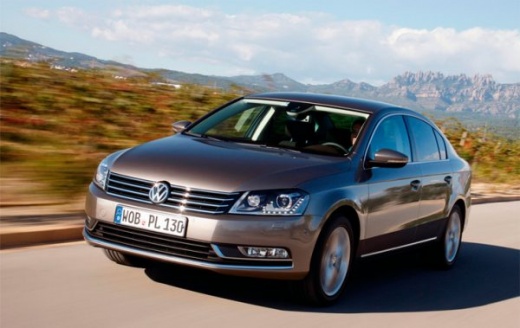
How to set the digital and analogue clocks on a Volkswagen Passat
Model: Volkswagen Passat
- Years:
2010, 2011, 2012, 2013, 2014
Video tutorial
Switch on the instrument panel and use the steering wheel controls to open the onboard computer settings. Select the clock option and press "OK", as shown in the video. Adjust the hours and minutes, then choose the time format. Change the date if necessary. Check that the time is correct on both the display and the analogue clock on the dashboard.
Posted on 23 November 2026 by ScegliAuto
Related tutorials
Volkswagen Passat
(2010-2014 /
B7)
Today's information will show us how to set the clock on the Volkswagen Passat, in simple and quick steps. First, we get into the car and start the i…

Volkswagen Passat
(2014-2023 /
MK 8, 3G, B8)
Briefly, we will see the instructions that will allow us to change the time on the central display and the analogue clock on the dashboard of the Vol…
Volkswagen Passat
(2010-2014 /
B7)
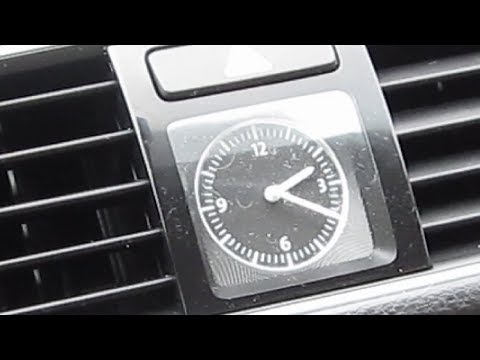
This guide shows how to adjust the time on the analogue clock located in the centre of the dashboard of the Volkswagen Passat. First, get in the vehi…
ScegliAuto offers an extensive international collection of automotive tutorials available in 12 languages. Each guide combines instructional videos with original explanations written by experienced human editors, along with information about the car models covered.
Other guides you may be interested in
|
How to Replace the Dipped Headlight Bulb on a Hyundai I30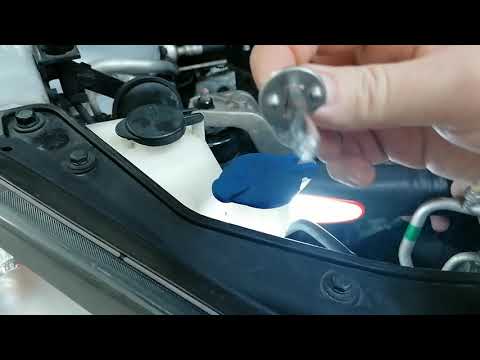
This short video tutorial shows how to replace the dipped headlight bulb on a third-generation Hyundai I30, produced from 2016 to 2021. First, pull the release lever for the bonnet and open it. Next, unscrew the plastic cap at the back of the headlight as shown in the video, then disconnect the bulb connector. After that, unclip the metal tab holding the dipped headlight bulb in place, remove it, and replace it with a new one, following the procedure in reverse. Finally, repeat the same operation on the other headlight. by ScegliAuto More videos
|
|
For advertising on this site Write to info@scegliauto.com
ScegliAuto is not responsible for any inaccuracy of the data in the lists. To report any inaccuracy or your business (if you own the business in question), please write to info@scegliauto.com
Number of seconds to generate the page: 0.073
(c) ScegliAuto 2026 - info@scegliauto.com - Privacy policy - About us VAT number: IT01247470535 |
