
|
Do it yourself
| |||
| ||||


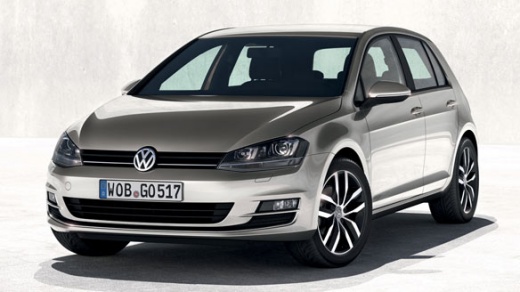
Removing Climate Control Fan from Golf 7
Model: Volkswagen Golf
MK 7, Golf 7, Golf VII
- Years:
2012, 2013, 2014, 2015, 2016, 2017, 2018, 2019
Video tutorial
Is the air fan no longer functioning correctly? Let's look at removing the fan from a Golf 7. Remove the plastic cover located under the dashboard on the right side, using a lever to detach the cover on the side of the dashboard. After removing the cover, unscrew the securing screws around the perimeter of the fan with a screwdriver. Once this is done, pull out the fan assembly, insert the new part, and reassemble all components under the glove compartment as previously disassembled. Test the fan operation: turn on the instrument panel.
Updated on 4 April 2026 by ScegliAuto
Related tutorials
Volkswagen Golf
(2008-2012 /
Golf 6, MK 6, 5K1, Golf VI)
To replace the air conditioning fan resistor in a Volkswagen Golf 6, turn off the engine and disconnect the battery. Remove the panel under the passe…

Volkswagen Golf
(2008-2012 /
Golf 6, MK 6, 5K1, Golf VI)
Today, we will learn how to remove and replace the cabin fan resistor on the Volkswagen Golf. First, get into the vehicle and begin by removing the p…
Volkswagen Golf
(2003-2008 /
Golf 5, MK 5, Golf V)
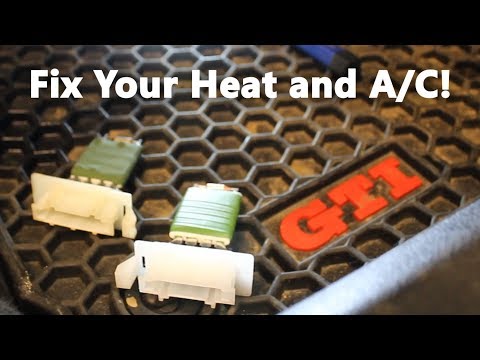
Remove the fan resistor from a Golf? Here’s how to take it out from inside the cabin. Use a lever to remove the plastics under the dashboard where th…
Other guides you may be interested in
|
How to Open the Bonnet of a Toyota C-HR
To open the bonnet of a Toyota C-HR, get inside the vehicle and lift the lever with the bonnet symbol located under the steering wheel. After lifting the lever, you will notice that the bonnet rises a few centimetres. Position yourself in front of the bonnet, insert your hand into the gap, and move the small internal lever from right to left, then lift the bonnet. You can keep the bonnet open during maintenance by positioning it on the support rod. To close the bonnet, remove the support rod and let it drop back down. by ScegliAuto More videos
|
|
For advertising on this site Write to info@scegliauto.com
ScegliAuto is not responsible for any inaccuracy of the data in the lists. To report any inaccuracy or your business (if you own the business in question), please write to info@scegliauto.com
Number of seconds to generate the page: 0.037
(c) ScegliAuto 2026 - info@scegliauto.com - Privacy policy VAT number: IT01247470535 |
