
|
Do it yourself
| |||
| ||||



How to Reset the Service Light on a Volvo XC60?
Model: Volvo Xc60
- Years:
2008, 2009, 2010, 2011, 2012, 2013, 2014, 2015, 2016
Video tutorial
To clear the Service light on a Volvo XC60, insert the key into the ignition, activate the instrument cluster with the button, and navigate the menu using the scroll wheel on the lever to the left of the steering wheel. Using the OK button on the same lever, select "T2" and then "Service status": hold the OK button while pressing the button to start the engine. An additional screen will appear showing the days and miles remaining until the next service: simultaneously press the OK button and the RESET button to clear the light.
Posted on 17 October 2026 by ScegliAuto
Related tutorials
Volvo Xc60
(2008-2016 /
MK 1)
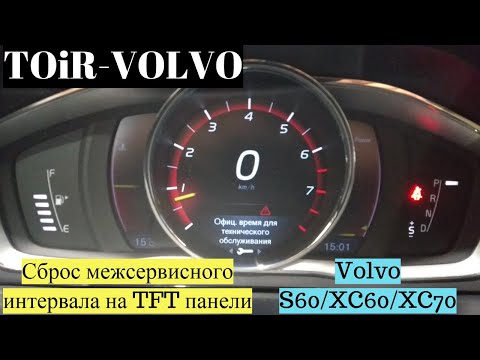
The Service light of the Volvo XC60 can be reset by inserting the key into the ignition switch, turning on the instrument panel with the button, and …
Volvo Xc60
(2017-2026 /
MK 2)
To reset the Service light on a Volvo XC60, turn on the ignition and navigate through the menu using the left lever and the OK button. Select the T2 …
Volvo Xc60
(2008-2016 /
MK 1)
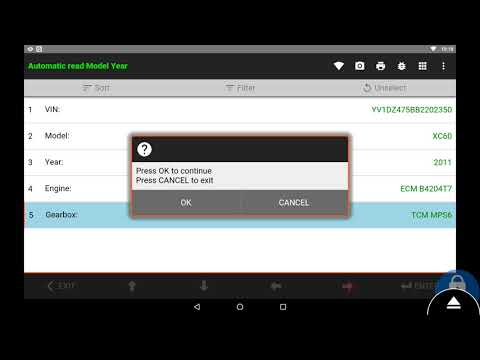
To reset the Service light on a Volvo XC60, turn on the ignition and then connect a diagnostic tool to the vehicle's OBD port. This port is located o…
Other guides you may be interested in
|
How to Open the Hood of the Mercedes GLC?
To open the hood of the Mercedes GLC, go inside the cabin on the driver's side to locate the red lever at the bottom of the dashboard on the left. Once you find this lever, pull it back to unlock the hood latch mechanism. After the mechanism is unlocked, exit the cabin and move the latch corresponding to the mechanism to fully release the hood. At this point, you can lift it and access the engine compartment. by ScegliAuto More videos
|
|
For advertising on this site Write to info@scegliauto.com
ScegliAuto is not responsible for any inaccuracy of the data in the lists. To report any inaccuracy or your business (if you own the business in question), please write to info@scegliauto.com
Number of seconds to generate the page: 0.121
(c) ScegliAuto 2026 - info@scegliauto.com - Privacy policy VAT number: IT01247470535 |
