Do it yourself
Frequently asked questions about cars and motorcycles
  1. Car
  2. :
  3. Alfa Romeo
  4. :
  5. Giulietta
  6. : Onboard computer

Alfa Romeo Giulietta - Onboard computer

Onboard Computer Alfa Romeo Giulietta (2010-2020 / mk 1)

Alfa Romeo Giulietta (2010-2020 / MK 1)
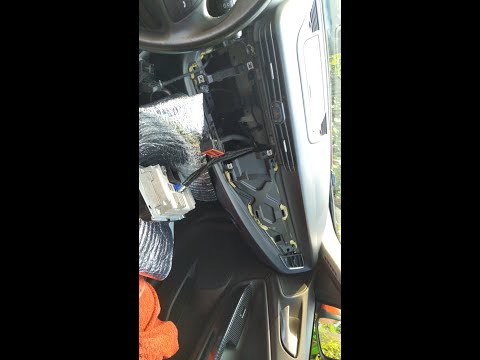
How to Remove the Blue&Me Module from an Alfa Romeo Giulietta

Today, remove the Blue&Me module from an Alfa Romeo Giulietta. First, open the passenger side glove compartment and remove the cover of the central cap to …Read all…
Posted on 1 November 2026 by ScegliAuto
Alfa Romeo Giulietta (2010-2020 / MK 1)
How to Disable the Seatbelt Chime on an Alfa Romeo Giulietta

This guide explains how to disable the seatbelt chime on an Alfa Romeo Giulietta using the OBD port and the supplied yellow cable. To perform this task, open …Read all…
Posted on 15 October 2026 by ScegliAuto
Alfa Romeo Giulietta (2010-2020 / MK 1)
How to Disable Start-Stop on the Alfa Romeo Giulietta

In this video, you will learn how to disable the start-stop feature on the Alfa Romeo Giulietta. First, insert the key into the ignition and turn on the …Read all…
Posted on 8 September 2026 by ScegliAuto
Alfa Romeo Giulietta (2010-2020 / MK 1)
Removing the Radio Monitor from an Alfa Romeo Giulietta

Open the glove compartment and remove the round plastic cover with a flat-head screwdriver. Unscrew the now exposed screw with a T25 Torx spanner. Once …Read all…
Posted on 1 May 2026 by ScegliAuto

Accelerator (1) Airbag (4) Alternator (2) Shocks (1) Antenna (1) Car stereo (9) Battery (5) Air vents (4) Transmission (2) Spark plugs (1) Body (5) Glove compartment (3) Control unit (2) Key (6) Trunk lock (1) Timing belt (9) Air conditioner (1) A/C controls (1) Onboard computer (4) Checks and maintenance (16) Dashboard (6) Shifter boot (2) Brake rotors (2) Side marker light (1) Headlight (15) Tail light (1) Fog lights (5) Diesel particulate filter (1) Air filter (6) Cabin air filter (12) Fuel filter (1) Diesel fuel filter (3) Oil filter (2) Parking brake (2) Clutch (2) Grille (1) A/C system (1) Window switch (1) Light bulb (5) Side marker bulb (1) Headlight bulb (20) Tail light bulb (6) Interior dome light bulb (6) Instrument panel light (1) License plate light (7) (3) Handle (12) Trim cover (2) Engine oil (4) Clock (11) Door trim panel (15) Front bumper (3) Rear bumper (2) Brake pads (2) Shift knob (7) Car door (2) Instrument cluster (1) Radiator (1) Heater control valve (1) Wheel (1) Fuse box (20) Seat (4) Crankshaft position sensor (1) Door lock (1) Brake system (1) Side mirror (4) Rearview mirror (1) Warning light – error code (9) Tire pressure warning light (5) Service warning light (23) Manufacturer emblem (3) Fuel cap (6) Thermostat (2) Cylinder head (1) Center console tunnel (2) EGR valve (3) Blower motor (3) Steering wheel (2)

How to Open the Hood of the BMW X3

Today, you will learn how to open and close the hood of the BMW X3. To perform this simple operation, lift the hood release lever located next to the door seal on the driver’s side. After pulling the lever, you will notice that the hood will lift slightly. Position yourself in front of the hood and lift it after moving the internal lever from left to right. To keep the hood secure during maintenance, use the side support rod. To close the hood, simply let it fall back into place.

Watch the video!


by ScegliAuto

More videos