
|
Do it yourself
| |||
| ||||


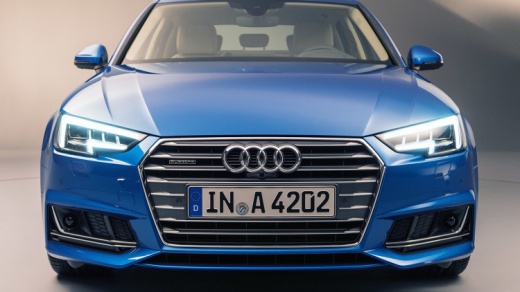
Cleaning the MAF Sensor on the BMW A4 B9
Model: Audi A4
B9
- Years:
2014, 2015, 2016, 2017, 2018, 2019, 2020, 2021, 2022, 2023, 2024
Video tutorial
To clean the MAF sensor on the BMW A4, open the hood of the engine compartment and locate the sensor on the passenger side positioned on the intake duct of the fuel injection system. Using a screwdriver, loosen the two clamps on the inlet hose and remove it. Using a Torx wrench, unscrew the two screws that secure the sensor body, disconnect the electrical connector, remove the body from its seat, and place it on a workbench. Unscrew the two nuts that hold the sensor on the body and remove it. Spray specific cleaner on it, wait for it to dry, and reassemble the sensor onto the body and then back into its seat. Reconnect the electrical connector and the inlet hose.
Updated on 18 October 2026 by ScegliAuto
Related tutorials
Audi A4
(2004-2008 /
B7)
How to remove the coolant temperature sensor on an Audi A4? Let's see how to properly remove and replace the temperature sensor: open the hood, lift …

Audi A4
(2007-2016 /
B8)
This short video shows the replacement of the camshaft sensor. The compatible camshaft sensor codes for this vehicle are P0341 and P0343. Lift the ho…

Audi A4
(2000-2004 /
B6)
Today, you will see the instructions to remove the coolant temperature sensor bulb on an Audi A4 B6, second generation, with a 1.8 turbo engine. Firs…
Other guides you may be interested in
|
Frequently Asked QuestionsHow to reset the tyre pressure warning light on the Kia Niro EV?
To reset the tyre pressure warning light on the Kia Niro EV, inflate the tyres until they reach the correct pressure value. This value is indicated on the sticker attached to the driver's door pillar. Once the tyres are inflated, turn on the instrument cluster to check that the warning light has completely disappeared from the display. If it is still present, you may need to drive for a few miles to ensure it disappears completely from the screen. by ScegliAuto More videos
|
|
For advertising on this site Write to info@scegliauto.com
ScegliAuto is not responsible for any inaccuracy of the data in the lists. To report any inaccuracy or your business (if you own the business in question), please write to info@scegliauto.com
Number of seconds to generate the page: 0.041
(c) ScegliAuto 2026 - info@scegliauto.com - Privacy policy VAT number: IT01247470535 |
