
|
Do it yourself
| |||
| ||||


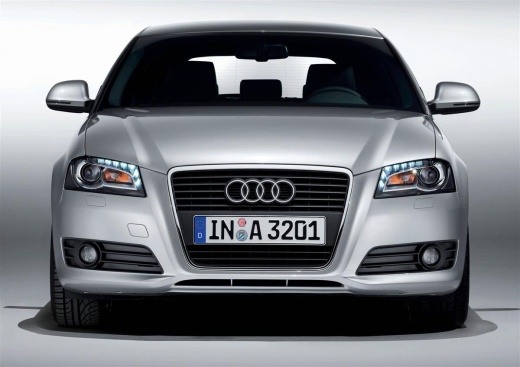
Removing and Cleaning the Engine Oil Sump
Model: Audi A3
8P, MK 2
- Years:
2003, 2004, 2005, 2006, 2007, 2008, 2009, 2010, 2011, 2012, 2013
Video tutorial
If the oil pressure warning light illuminates on the instrument panel, it is possible that sludge has formed in the sump and its pickup, clogging the system and reducing oil pressure. It is advisable to drain the oil and proceed with removing the sump, filter, and pickup. Thoroughly clean the sump by scraping away all dirt using a solvent or petrol, and also clean the pickup strainer. Refit everything by applying sealant to the edge of the sump, install the new filter, and fill the engine with new oil. Turn the engine over without starting it (remove the fuel pump fuse) to circulate the oil and lubricate everything before starting it and letting it idle.
Updated on 21 February 2026 by ScegliAuto
Related tutorials
Audi A3
(2003-2013 /
8P, MK 2)
Today we will explain how to replace the oil filter and engine oil of the Audi A3 mk2 model. Pull the front hood release lever and open the hood. Rem…

Audi A3
(2003-2013 /
8P, MK 2)
Do you want to replace the engine oil in your Audi A3? Here’s how to change the oil along with the filter. Lift the car on a column lift or jack, the…

Audi A3
(2012-2019 /
8V, MK 3)
How to proceed with the replacement: lift the car on a column lift, remove the engine protection panel and unscrew the oil sump bolt; allow the oil t…
Other guides you may be interested in
|
How to reset the tyre pressure warning light on the Kia Niro EV?
To reset the tyre pressure warning light on the Kia Niro EV, inflate the tyres until they reach the correct pressure value. This value is indicated on the sticker attached to the driver's door pillar. Once the tyres are inflated, turn on the instrument cluster to check that the warning light has completely disappeared from the display. If it is still present, you may need to drive for a few miles to ensure it disappears completely from the screen. by ScegliAuto More videos
|
|
For advertising on this site Write to info@scegliauto.com
ScegliAuto is not responsible for any inaccuracy of the data in the lists. To report any inaccuracy or your business (if you own the business in question), please write to info@scegliauto.com
Number of seconds to generate the page: 0.067
(c) ScegliAuto 2026 - info@scegliauto.com - Privacy policy VAT number: IT01247470535 |
