
|
Do it yourself
| |||
| ||||


How do you reset the Service light on the BMW 3 Series?
Model: BMW Serie 3
E46
- Years:
1998, 1999, 2000, 2001, 2002, 2003, 2004, 2005, 2006
Video tutorial
On the instrument panel of the BMW 3 Series, to completely make the Service light disappear from the instrument panel, you will need to hold down the button on the left side of the dashboard and insert the ignition key to turn on the panel. Now on the screen will appear the message "__test": continuing to hold down the button, the previous message will change to "reset". When this message starts flashing, you will need to release the button and press it again. The message will turn off, then you must press the button again to display the message "end". At this point, the reset of the light will be completed.
Posted on 23 February 2025 by ScegliAuto
Related tutorials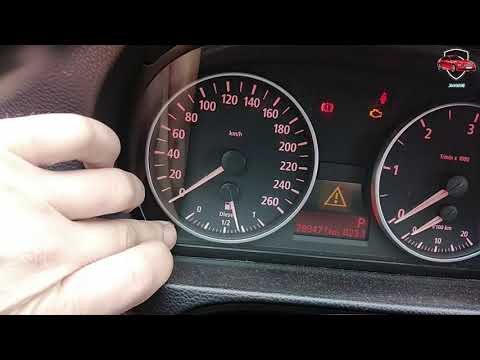
BMW Serie 3
(2005-2013 /
E92, E91, E90)
Discover how to reset the oil change service light on the BMW 3 Series E90 and 1 Series E87 by following the instructions below. First, get in the ve…

BMW Serie 3
(2012-2019 /
F31, F30)
Today we will explain how to reset the service light, related to the maintenance on a 2017 BMW 3 Series vehicle in less than two minutes. To reset th…

BMW Serie 3
(1998-2006 /
E46)
The service light on the BMW 3 Series activates when it's time for a maintenance service. After completing the maintenance, you can proceed to reset …
ScegliAuto offers an extensive international collection of automotive tutorials available in 12 languages. Each guide combines instructional videos with original explanations written by experienced human editors, along with information about the car models covered.
Other guides you may be interested in
|
Frequently Asked QuestionsHow to Connect Your Mobile Phone to a Fiat Panda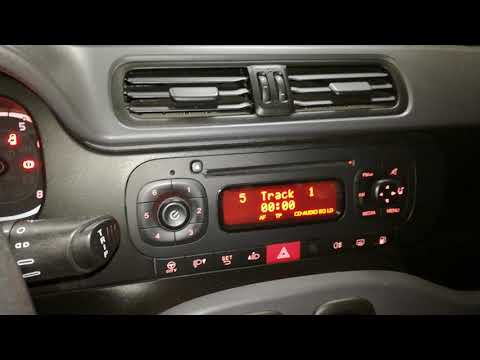
To connect a mobile phone to a Fiat Panda, first obtain a USB cable. Connect one end of the USB cable to the phone and the other end to the USB port in the car located under the gear lever. Once the phone is connected, go to the phone's settings and select the car device. To select the phone from the car radio, press the "media" button until "ex. Device" / "ext. disp." appears, allowing you to access the songs on your phone. The phone can also be connected via Bluetooth by turning it on and selecting the car device. by ScegliAuto More videos
|
|
For advertising on this site Write to info@scegliauto.com
ScegliAuto is not responsible for any inaccuracy of the data in the lists. To report any inaccuracy or your business (if you own the business in question), please write to info@scegliauto.com
Number of seconds to generate the page: 0.124
(c) ScegliAuto 2026 - info@scegliauto.com - Privacy policy - About us VAT number: IT01247470535 |
