
|
Do it yourself
| |||
| ||||


How to Remove the Electronic Parking Brake Button from a BMW X5
Model: BMW X5
F15
- Years 2013-2018
Let's see how to disassemble and remove the electronic parking brake button located on the center console of a BMW X5. Position the gear shift knob vertically; use a plastic pry tool to remove the trim piece from the center console. Next, use a screwdriver to unscrew the fastening screws of the bezel that includes the brake button, then remove the frame with the button (as shown in the video). Install the new brake button kit onto the center console as disassembled earlier (connect the power connector). Test the proper functioning of the parking brake button.
Updated on 9 March 2026 by ScegliAuto
This video is currently unavailable
Related tutorials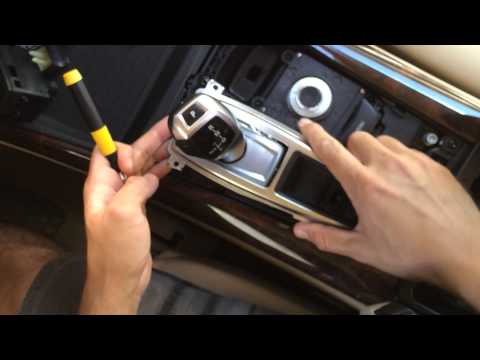
BMW X5
(2007-2013 /
E70)
Let's see in this video how to disassemble and remove the electric parking brake button located on the center console trim of a BMW X5. Position the …
BMW X5
(2007-2013 /
E70)
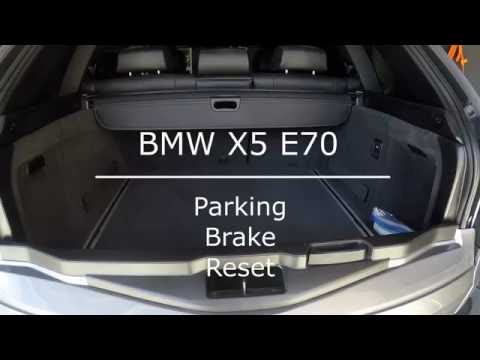
To reset the electronic parking brake on the BMW X5, open the rear trunk. Next, lift the carpet at the base of the trunk: this will allow you to acce…

BMW X5
(2013-2018 /
F15)
In this very useful video tutorial, we can see how to replace the handbrake button on a BMW X5, third series model produced from 2013 to 2018. So, le…
Other guides you may be interested in
|
How to Check the Oil Level on a Jeep Renegade?
To check the oil level on a Jeep Renegade, you need to open the bonnet to access the components inside the engine bay: on the lower left side of the engine block, you will find the dipstick for checking the level. This should be pulled out and thoroughly cleaned with a cloth: once cleaned, reinsert it back into its tube and pull it out immediately after. This way, you can check that the oil mark is between the minimum and maximum levels; finally, you can place the dipstick back in its tube. by ScegliAuto More videos
|
|
For advertising on this site Write to info@scegliauto.com
ScegliAuto is not responsible for any inaccuracy of the data in the lists. To report any inaccuracy or your business (if you own the business in question), please write to info@scegliauto.com
Number of seconds to generate the page: 0.141
(c) ScegliAuto 2026 - info@scegliauto.com - Privacy policy VAT number: IT01247470535 |
