
|
Do it yourself
| |||
| ||||



How to Insert and Remove the Window Lock on the BMW 5 Series
Model: BMW Serie 5
F11, F10
- Years:
2010, 2011, 2012, 2013, 2014, 2015, 2016, 2017
Video tutorial
In this brief guide, you will find instructions on how to insert and remove the window lock for the BMW 5 Series. First, get in the vehicle and turn on the instrument cluster; locate the window lock button on the driver's window control panel, positioned below the window opening buttons, as shown in the video. Pressing the button will lock the windows, and pressing it again will unlock them; typically, you can also lock just the rear windows or just the front ones, preventing them from opening.
Posted on 25 April 2026 by ScegliAuto
Related tutorials
BMW Serie 5
(2003-2010 /
E60, E61)
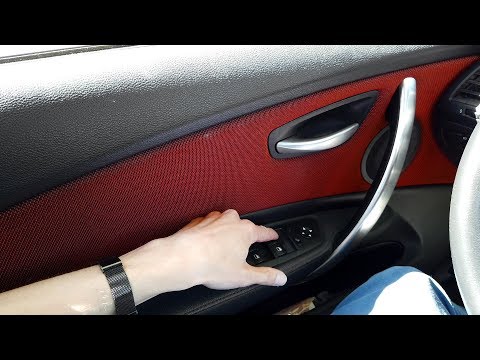
To reset the window regulator of the BMW 5 Series, fully lower the window you want to reset. Once it is completely down, press and hold the button do…
BMW Serie 5
(2003-2010 /
E60, E61)
In this video tutorial, learn how to reset and recalibrate the window regulator system on a BMW 5 Series E60, 3 Series E90, and also on E87, E84, F10…
BMW Serie 5
(2010-2017 /
F11, F10)
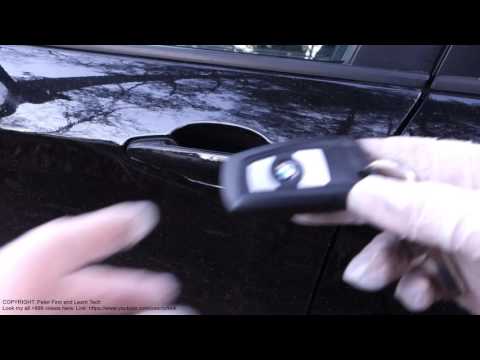
Do you have a dead key fob? Can't open your BMW 5 Series? Let's see how to open the lock with the metal key inside the fob. Take your key fob and pre…
Other guides you may be interested in
|
How to Reset the Tyre Pressure Warning Light on a Kia Rio?
The tyre pressure warning light displayed on the instrument cluster of the Kia Rio can be reset by inflating the tyres until they reach the recommended pressure value: this value is indicated on the sticker affixed to the driver's door pillar. Once all tyres have been inflated to the recommended pressure, turn on the ignition to check that the light has disappeared: if it is still present, it may be necessary to drive for a few miles, allowing the sensors to work and thus turning off the light. by ScegliAuto More videos
|
|
For advertising on this site Write to info@scegliauto.com
ScegliAuto is not responsible for any inaccuracy of the data in the lists. To report any inaccuracy or your business (if you own the business in question), please write to info@scegliauto.com
Number of seconds to generate the page: 0.017
(c) ScegliAuto 2026 - info@scegliauto.com - Privacy policy VAT number: IT01247470535 |
