
|
Do it yourself
| |||
| ||||


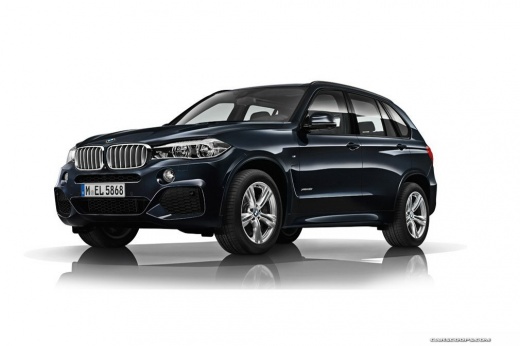
How to Unlock the Automatic Transmission in a BMW X5?
Model: BMW X5
F15
- Years:
2013, 2014, 2015, 2016, 2017, 2018
Video tutorial
In this tutorial, you will see how to unlock the automatic transmission in a BMW X5. This is a simple operation to perform in order to shift into neutral in case of a complete battery discharge. First, ensure that the parking brake is properly engaged. Then, remove the rubber cap located on the gear shift lever, unscrew the subsequent cover, locate the small button inside the hole, and hold it down with a screwdriver. At the same time, while keeping the button pressed, move the gear shift lever to reach the desired position.
Updated on 12 June 2026 by ScegliAuto
Related tutorials
BMW X5
(2007-2013 /
E70)
This guide shows how to replace the automatic shift lever on the BMW X5 E70. The first step is to remove the trim plate around the shifter using a pl…

BMW X5
(2013-2018 /
F15)
To reset the automatic transmission of the BMW X5, turn the ignition on by turning the key without starting the engine. At this point, press the peda…

BMW X5
(2019-2026 /
G05, G18)
The fuse box of the BMW X5 produced from 2018 to 2022 has a fuse box located inside the cabin, on the right and left under the dashboard. The body do…
Other guides you may be interested in
|
How to reset the tyre pressure warning light on the Kia Niro EV?
To reset the tyre pressure warning light on the Kia Niro EV, inflate the tyres until they reach the correct pressure value. This value is indicated on the sticker attached to the driver's door pillar. Once the tyres are inflated, turn on the instrument cluster to check that the warning light has completely disappeared from the display. If it is still present, you may need to drive for a few miles to ensure it disappears completely from the screen. by ScegliAuto More videos
|
|
For advertising on this site Write to info@scegliauto.com
ScegliAuto is not responsible for any inaccuracy of the data in the lists. To report any inaccuracy or your business (if you own the business in question), please write to info@scegliauto.com
Number of seconds to generate the page: 0.065
(c) ScegliAuto 2026 - info@scegliauto.com - Privacy policy VAT number: IT01247470535 |
