
|
Do it yourself
| |||
| ||||



Removing the Radiator on Chevrolet Cruze
Model: Chevrolet Cruze
J300, MK 1
- Years:
2009, 2010, 2011, 2012, 2013, 2014, 2015
Video tutorial
Need to remove the radiator from a Cruze? Start by lifting the front bonnet. Use a suitable socket spanner to remove the plates securing the radiator at the top, then lift the car on a column lift and loosen the clamp on the water hose. Disconnect the various hoses of the cooling system with pliers. Determine whether to remove the radiator with the fans or separately. Extract the damaged part from the engine bay. Prepare to install the new part in the engine bay: fit the cooling fans, clamps, pins, and various hoses. Reattach the radiator mounting brackets with the associated plates. Tighten the plastics and front grille securely with a socket spanner. Test the radiator's operation after assembly.
Updated on 28 March 2026 by ScegliAuto
Related tutorials
Chevrolet Cruze
(2009-2015 /
J300, MK 1)
In this video, learn how to replace the radiator on a Chevrolet Cruze. First, open the bonnet: remove the lower wing by unscrewing the screws; then o…

Chevrolet Cruze
(2009-2015 /
J300, MK 1)
This guide outlines the steps to remove and replace the cooling radiator in a Chevrolet Cruze. First, open the bonnet of your car and begin removing …
Chevrolet Cruze
(2009-2015 /
J300, MK 1)
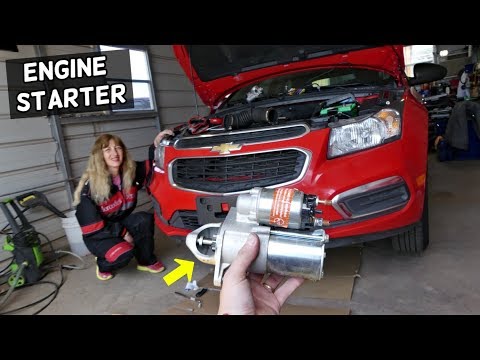
Is the starter motor on your Chevrolet Cruze not working anymore? Let's look at how to remove the starter motor on a Cruze. Open and lift the front b…
Other guides you may be interested in
|
How to reset the tyre pressure warning light on the Kia Niro EV?
To reset the tyre pressure warning light on the Kia Niro EV, inflate the tyres until they reach the correct pressure value. This value is indicated on the sticker attached to the driver's door pillar. Once the tyres are inflated, turn on the instrument cluster to check that the warning light has completely disappeared from the display. If it is still present, you may need to drive for a few miles to ensure it disappears completely from the screen. by ScegliAuto More videos
|
|
For advertising on this site Write to info@scegliauto.com
ScegliAuto is not responsible for any inaccuracy of the data in the lists. To report any inaccuracy or your business (if you own the business in question), please write to info@scegliauto.com
Number of seconds to generate the page: 0.128
(c) ScegliAuto 2026 - info@scegliauto.com - Privacy policy VAT number: IT01247470535 |
